


Move your Progress OpenEdge applications to the web
Extend the life cycle of Progress OpenEdge applications with Thinfinity VirtualUI
No refactoring, no rewriting
Reshape and transform your existing business-critical Progress OpenEdge application into a centralized, highly-available, high-performant modern SaaS solution.
Deliver mobile and web experiences by adding one line of code to your existing source code.
Cloud native
Secure web and desktop app virtualization in a hybrid or multi-cloud environment.
Reduce operational complexity with a single point of control.
Deploy a granular architecture that allows you to scale up and down according to your project needs.
All versions supported
Integrate any Progress OpenEdge application regardless of the version it is based on. Thinfinity VirtualUI is fully compatible with Progress OpenEdge versions: 8, 9, 10, 11, and 12.
No need to modify your existing ABL source code.
Thinfinity VirtualUI is trusted by






Improve performance and usability
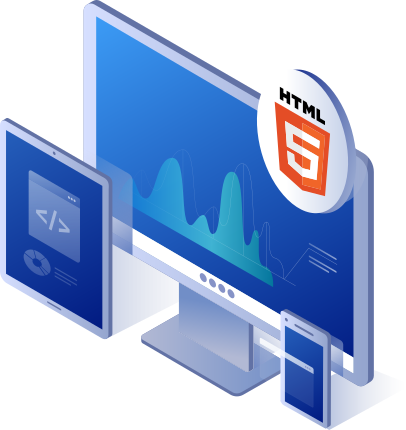
Move a client-server application to the web with Thinfinity VirtualUI. Your clients will only need access to a web browser, transforming your application into a pure HTML5 solution. Access from PCs, tablets, handhelds, and phones anywhere, anytime.
Connect the client-side directly to the database brokers with SELF-connection mode, eliminating all network traffic between the client and the RDBMS broker. Application performance is determined by the processing power of the application server.
Some associated benefits of switching to centralized deployments
Reduced costs
- Centralize and consolidate your application server infrastructure, providing a huge opportunity to significantly reduce costs.
- Gain the ability to deploy your application regardless of the environment, either locally, hybrid, or public cloud.
Improved reliability and security
- Incorporate extra layers of security by applying 2FA and SSO authentication methods.
- Provide a web version of your app with no open ports on your network.
- Create a fault tolerance, multi-cloud infrastructure with 24/7 online availability.
Operational efficiency
- Simplify deployments by avoiding installing the client networking on end-user machines.
- Eliminate repetitive maintenance tasks by deploying updates to a single application server.
- Easily expand or downscale according to the business needs.
- Avoid having to retrain your Progress OpenEdge 4GL expert team in new technologies.
- Add a single line of code at the beginning of every .p or .w file to webify an application. The ABL will remain untouched.
- Bypass reworking in core business functionalities. Reduce time-to-market by eliminating the need for extensive testing.
- Maintain a single source code for all environments. The resulting solution will serve as a client/server and a web application.
- Apply instant changes to your application. Minimize downtimes caused by software updates and newer versions of your published application.
- Enable app virtualization for legacy software. Proven to improve remote work and IT maintenance management.
- Grant secure access to applications from outside a private network.
- Avoid local installations and recurrent updates over client machines.
Why choose Thinfinity VirtualUI for your Progress OpenEdge applications?
Thinfinity VirtualUI offers a seamless solution for modernizing your Progress OpenEdge applications, transforming them into fully functional, web-ready solutions without the need for costly redevelopment.
By going beyond traditional application virtualization, Thinfinity VirtualUI ensures your Progress OpenEdge apps remain relevant, accessible, and competitive in today’s digital landscape.
Effortless web access
Web-based delivery
Run your Progress OpenEdge applications directly from any browser without the need for installations.
Preserved native functionality
Retain the full desktop performance and features your users expect.
Cross-device compatibility
Enable access across Windows, macOS, Linux, Android, and iOS platforms without additional development.
Simplified modernization
No redevelopment required
Quickly web-enable your existing Progress OpenEdge applications by integrating Thinfinity’s SDK.
Secure and scalable deployment
Deploy applications on-premises, in the cloud, or via hybrid environments while maintaining advanced security standards like Zero Trust.
Streamlined IT management
Centralize updates, reduce maintenance efforts, and eliminate user-side installations.
Extended application lifecycle
Ensure your Progress OpenEdge applications continue to deliver value in a modern, web-driven environment, meeting evolving user expectations and business needs.
Key features designed for Progress OpenEdge applications
WebSocket Optimization
Ensure real-time interactivity for web-based users.
Enhanced Web APIs
Extend your applications with modern web components and APIs.
Advanced File Transfer
Enable fast and secure file transfers directly within the application, enhancing productivity for users working remotely.
Enhanced Printing Support
Seamlessly integrate local or remote printing directly into the application for improved functionality.
Advanced Analytics
Gain insights into application usage, performance, and user behavior to optimize operations.
Zero Trust Security
Safeguard data with robust access control and secure connections.
Multi-User Capability
Enable concurrent sessions with smooth performance.
Extend your application functionalities by accessing information from the end user’s device, retrieving and sending data such as:
- Geolocalization and timezone
- Audio and video
- Device and browser identification
- Barcodes and digital signatures
jsRO implements a bidirectional communication channel between a web page or application and a Windows application. Most importantly, it makes this blending with the greatest transparency possible.


Run your application anywhere you choose
With VirtualUI integration, your application is ready to host on-premises, in a hybrid setup, or any public cloud or VPS. Thinfinity supports concurrent users with isolated sessions, ensuring secure, seamless access and flexibility across any deployment model.

Local server
Deploy your applications on a local server with Thinfinity VirtualUI, compatible with nearly every version of Windows Server, including 2019. Thinfinity allows for seamless application hosting, enabling you to replicate the steps from your development environment for quick and secure deployments. Local hosting provides flexibility and control over resources for your organization.

VMware
Optimize your virtualization strategy by hosting applications on VMware's industry-leading platform. Thinfinity VirtualUI integrates seamlessly with VMware, supporting advanced features like resource pooling and efficient application delivery. Achieve scalable, high-performance environments with VMware's robust private cloud infrastructure.

Microsoft Hyper-V
Host your applications on Microsoft Hyper-V to take advantage of its reliable and flexible virtualization capabilities. Thinfinity VirtualUI natively integrates with Hyper-V, enabling efficient application delivery and resource management. Whether for private or hybrid cloud scenarios, Hyper-V offers a secure and scalable virtualization solution.

Proxmox
Host your applications with Proxmox and unlock the potential of open-source virtualization combined with Thinfinity VirtualUI. Native integration enables application pooling and dynamic scaling for efficient resource management. Proxmox's hybrid and private cloud capabilities, paired with Thinfinity's virtualization technology, provide a flexible and reliable solution for modern IT needs.
Choose the best license for your project
Our license and plans structure covers different scenarios, giving you the flexibility to choose what is most suitable for your particular business.