
Applications
The Applications tab will allow you to configure the applications’ locations and settings as well as the user permissions to access them.
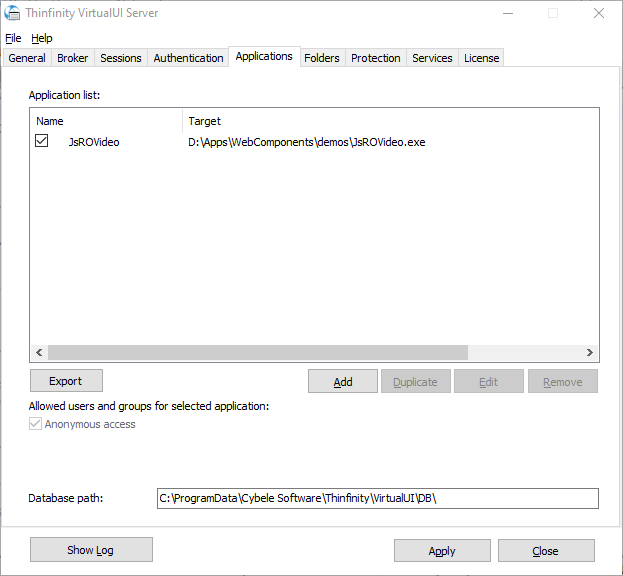
| Option | Description |
|---|---|
| Application List | This list shows the available applications. You can enable or disable them by checking the box to the left of the name. |
| Add | Select this button to add a new profile. Choose the profile type: Application, Web Link, or Reverse Proxy. |
| Edit | Select an application and select this button to edit it. |
| Duplicate | Select an application and select this button to create a copy of its profile. |
| Remove | Select an application and select this button to remove it. |
| Export | Export the application list to a CSV file. |
| Allowed users and groups for selected profile | See here the allowed users or group(s) of users for the selected application. If you want to change the permissions, edit the application. |
| Database path | Path to the profile database. |
Always remember to select Apply in order to save the changes.