
Customizing Settings
After creating the directory and the web page, inform Thinfinity VirtualUI of their location by defining a virtual path for the application and indicating which page will be loaded by default.
Setting a Virtual Path for the Application
1
Open the Thinfinity VirtualUI Server Manager.
2
Go to the Applications tab.
3
Add the new application or select it from the list, and select Edit.
4
Set the Home Page. Select Open and search for the location of your customized home page.
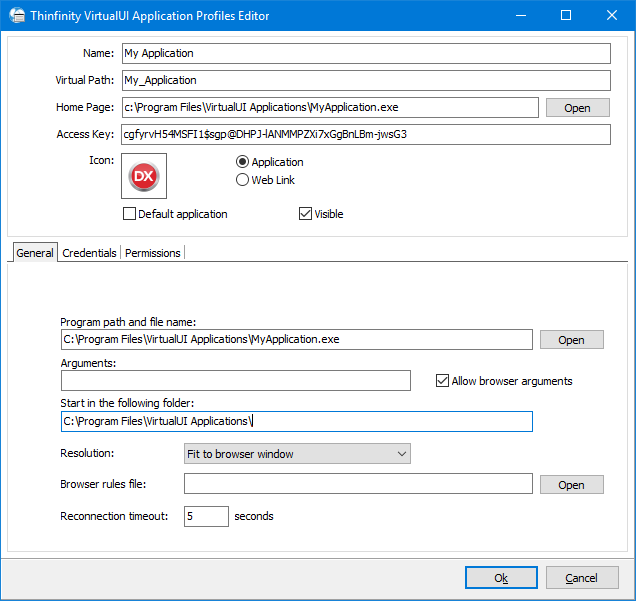
5
You can modify the virtual path name.
6
Select OK and Apply.
When the application is loaded — through the icon in the index page or typing the URL to the full virtual path — Thinfinity VirtualUI will open the page that was specified in the Home Page field of the application profile, and it will show the application.