
Creating Registry Redirections
In order to add a registry redirection, right-click on one of the Server trees and choose Add Redirection.

This will bring up the ‘Edit Key Redirection’ dialog:
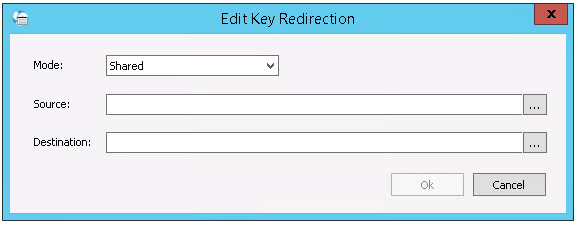
| Field | Description |
|---|---|
| Mode | Choose ‘Shared’ if you want this key redirection to apply to all users. Choose ‘Private’ if you only want this key redirection to apply to a single user. |
| Source | Choose the source registry key you want to redirect. |
| Destination | Choose a registry destination key. |
Editing Redirections
In order to edit a key redirection, right-click on it and choose Edit Redirection.
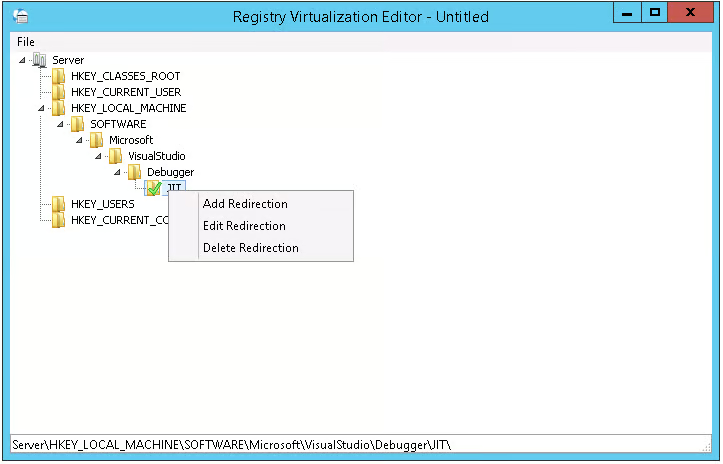
You will then be able to edit the redirection in the ‘Edit Key Redirection’ dialog.
Deleting Redirections
In order to delete a redirection, right-click on it and choose Delete Redirection.