
Accessing the App from the Web
Follow the next steps to access registered applications using the web browser:
-
Open your preferred web browser.
-
Type in the application URL. This URL is composed of the server URL plus the Virtual Path configured for the application, i.e.
http://your-machine:6580/MyApp/Alternatively, leave the Virtual Path as the root path using just
http://your-machine:6580/. In this case, a page with the list of applications will show up, unless you have set a profile to be the default application, in which case you will be connected to the Default Application.
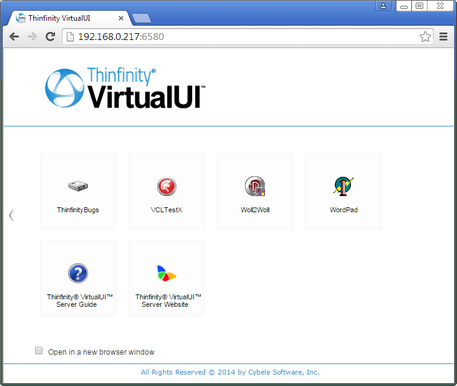
- Check the Open in a new browser window option if you want the application to be opened in another tab.
- Select the corresponding icon of the application you want to access.
Authenticated users can log out with Logout in the top right corner of the web interface.