
Testing the File System Virtualization
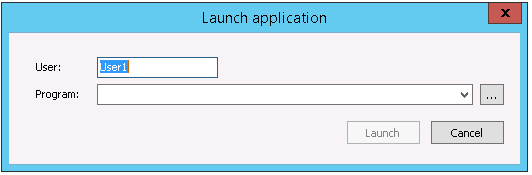
You can test the Filesystem virtualization outside VirtualUI (the virtualization service must be running, though). In order to test the Filesystem virtualization, choose File > Test from the main menu. This will bring up the ‘Launch Application’ dialog:
| Field | Description |
|---|---|
| User | Type in a testing user name. Later on, you can test using another user and verify that the files stored for each user are isolated. |
| Program | Choose a program with which to test the Filesystem virtualization. It has to be a program capable of opening files. |
After selecting a user and a program to test, select Launch. When you access the Windows file system through this application, you should only be seeing the mapped directories, by their original names.