
Credentials
In the Thinfinity VirtualUI Application Editor Credentials tab, specify the mode for logging into the specified application:
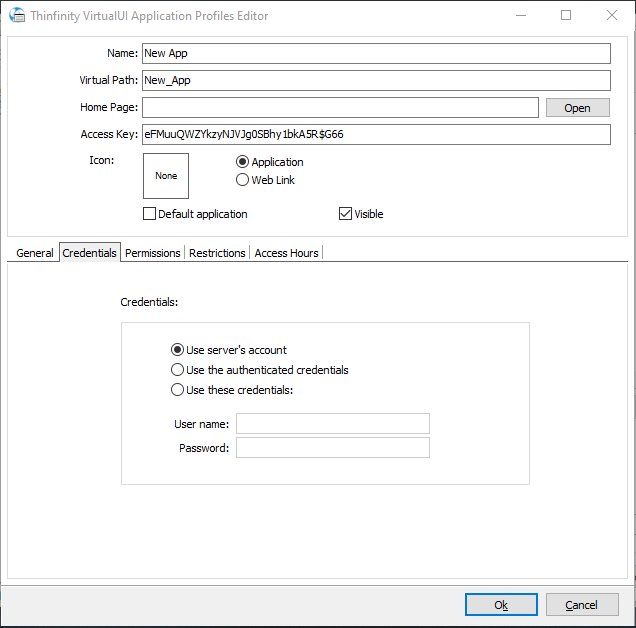
| Option | Description |
|---|---|
| Use server’s account | Use the same credentials entered in the ‘Sessions’ tab. Note: If the credentials are correct, this option will connect the user automatically when selecting the application, or after authenticating for Thinfinity VirtualUI if this is the only profile for their credentials. |
| Use the authenticated credentials | Use the same credentials entered in the browser for Thinfinity VirtualUI (specified in the ‘Permissions’ tab). Note: If the credentials are correct, this option will connect the user automatically when selecting the application, or after authenticating for Thinfinity VirtualUI if this is the only profile for their credentials. |
| Use these credentials | Complete the credentials used to access the computer. Note: If the credentials are correct, this option will connect the user automatically when selecting the application, or after authenticating for Thinfinity VirtualUI if this is the only profile for their credentials. |
See also: The Permissions Tab