
Radius MFA Settings
The Radius MFA method validates the second authentication factor against a RADIUS server. Use it when your multi-factor provider exposes a RADIUS interface.
To add it, go to the Authentication tab, open the 2FA sub-tab, select Add and choose Radius MFA.
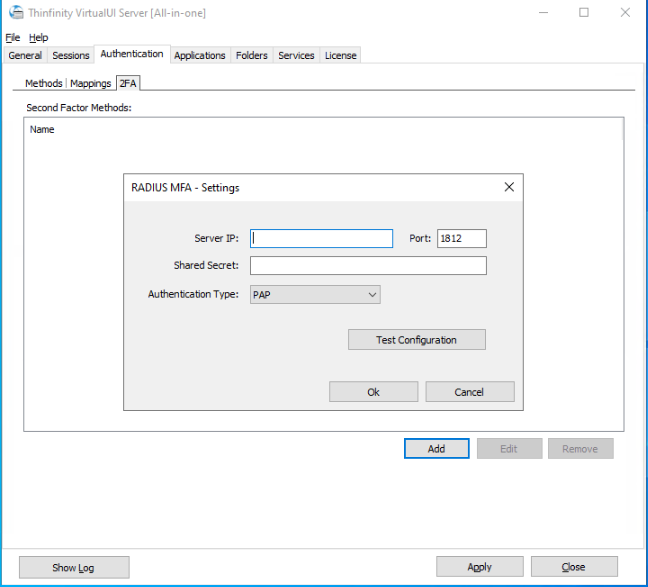
| Option | Description |
|---|---|
| Server IP | The address of the RADIUS server. |
| Port | The port of the RADIUS server. The default is 1812. |
| Shared Secret | The secret shared with the RADIUS server. |
| Authentication Type | The RADIUS authentication protocol: PAP, CHAP, MSCHAP, MSCHAPv2, or EAP. The default is PAP. |
| Test Configuration | Verify the connection against the RADIUS server. |
Note: This method validates the second factor only. To use RADIUS as the primary authentication method, see Radius Authentication Method Settings.