
Thinfinity Cloud Manager
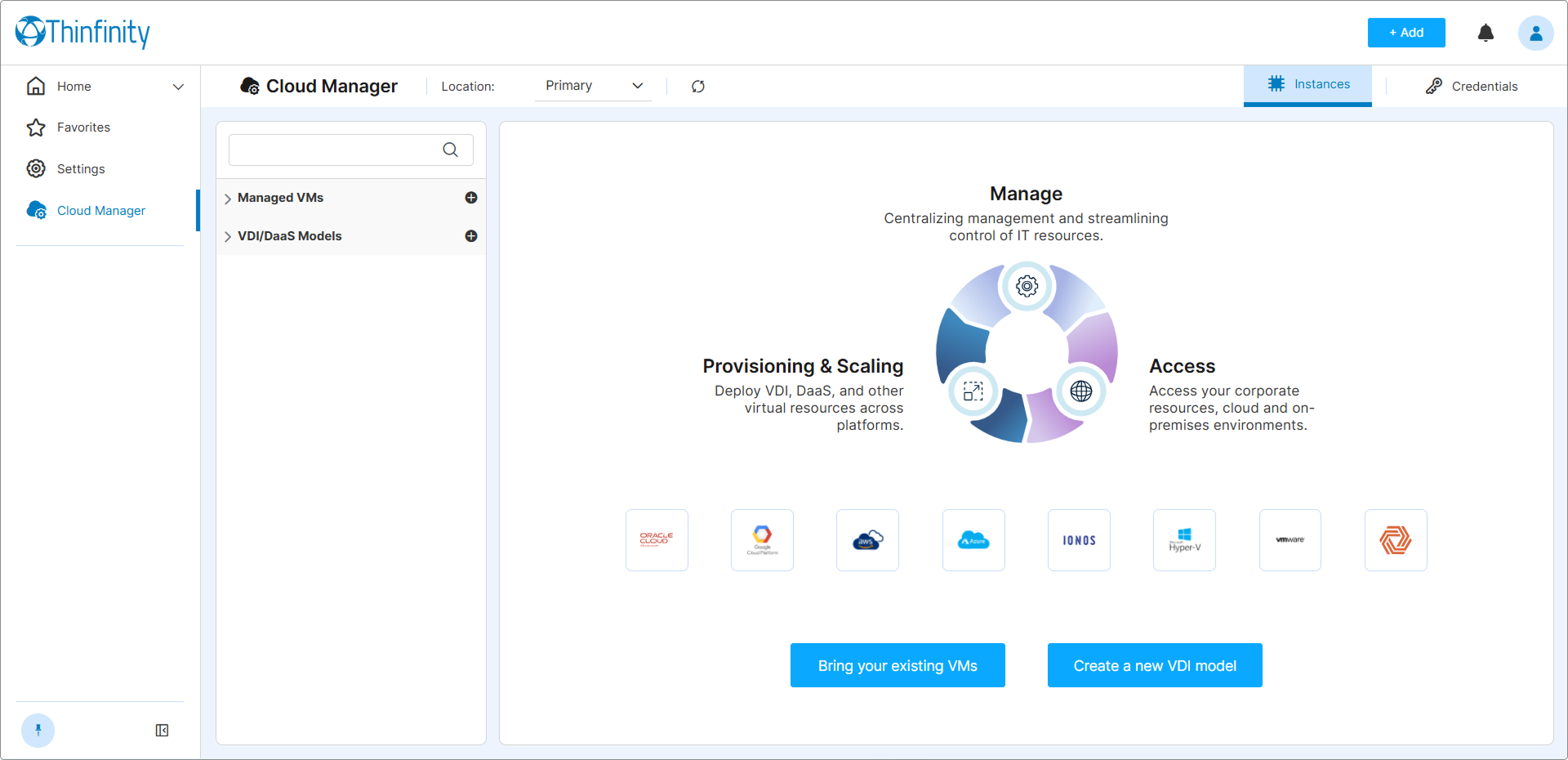
Thinfinity® Cloud Manager is an integrated module of Thinfinity® Workspace that provides a centralized interface for provisioning, managing, and delivering virtual machines across multi-cloud and on-premises environments. Rather than juggling separate consoles for each provider or hypervisor, you work from a single interface — embedded directly in the Thinfinity® Workspace Web Manager — to connect to existing VMs, define virtual desktop models, deploy instances on demand, and deliver desktops to end users.
Cloud Manager extends the brokering and access-management capabilities already present in Thinfinity Workspace into the infrastructure layer. Provisioning, session assignment, and lifecycle management are all coordinated through the same Primary Broker that governs the rest of your Workspace environment, and surfaced to administrators through the Web Manager dashboard.
Cloud Manager requires Thinfinity Workspace v8.5 or later. Some features described in this section may not be available in earlier versions.
What You Can Do with Cloud Manager
Cloud Manager gives IT administrators and DevOps teams full control over virtual machine infrastructure from a unified interface:
- Manage existing VMs. Connect VMs from any supported cloud provider or on-premises hypervisor to Cloud Manager without reprovisioning them. Monitor status, control power state, assign users, and broker access — all from a single panel.
- Define VDI/DaaS models. Create reusable model definitions that specify the provider, compute profile, OS image, network configuration, and lifecycle rules for a class of virtual desktops or application hosts.
- Deploy instances on demand. Provision one or more instances from a model with a single action. Cloud Manager runs the underlying Terraform provisioning process and tracks the full deployment lifecycle.
- Provision Kubernetes pods. Define K8S models from a YAML configuration and let the cluster handle pod scheduling. Pods are managed alongside VM-based instances under the same Cloud Manager UI.
- Configure smart pooling. Choose between session-based pooling (multiple users share a pool of instances) and 1:1 assignment (each user gets a dedicated instance). Combine pooling modes with Staged Power On/Off to keep a calibrated number of instances running based on user occupancy.
- Automate power and scheduling. Define when instances power on and off — on demand, on a fixed schedule, or a hybrid of both — to balance availability against infrastructure cost.
- Use Infrastructure as Code. Author custom Terraform templates to define VM infrastructure declaratively. Cloud Manager executes the templates and manages the full instance lifecycle without requiring direct Terraform CLI access.
- Manage Golden Images. Maintain a master VM image for on-premises hypervisors. Cloud Manager clones the image for each new instance, ensuring consistency across deployments.
- Version and promote models. Maintain separate Testing, Staging, and Production versions of each model. Validate changes in isolation before promoting them to the live environment.
- Export and import models. Serialize model configurations to portable
.vdimodelfiles for backup, migration, or cross-team sharing. - Deliver desktops through Access Profiles. Link Cloud Manager resources to Thinfinity Workspace Access Profiles so end users can launch virtual desktops directly from the dashboard, with no visibility into the underlying infrastructure.
How Cloud Manager Fits into Thinfinity Workspace
Cloud Manager is accessed from Thinfinity Workspace. Once enabled, it appears in the left sidebar of Workspace for authorized administrators — log in to Thinfinity Workspace and click Cloud Manager in the sidebar.
Cloud Manager relies on the following Thinfinity Workspace components to function:
| Component | Role in Cloud Manager |
|---|---|
| Gateway | Routes all end-user connections to their assigned VM instances, regardless of whether the VM is cloud-hosted or on-premises. |
| Primary Broker | Enforces RBAC. Determines which administrators can access Cloud Manager and what operations they can perform. Hosts the Web Manager where Cloud Manager runs. |
| Secondary Broker | Controls the location context for Cloud Manager in multi-broker deployments. The active broker is shown in the Location field at the top of the Cloud Manager screen. |
| Virtualization Agent | Required for on-premises hypervisor integrations (VMware, Hyper-V, Proxmox, Oracle KVM, Verge.IO). Must be installed on the hypervisor host and registered with the broker before Cloud Manager can discover and manage VMs on that host. |
For a full description of Thinfinity Workspace components and how they interact, see the Thinfinity Workspace product manual.
At a high level, the flow from infrastructure to end user works as follows:
- The administrator configures credentials for a cloud provider or hypervisor in Cloud Manager.
- Cloud Manager provisions or discovers VMs on that provider.
- An Access Profile is created to expose those VMs to end users.
- End users authenticate through the Thinfinity Workspace dashboard and are connected to their assigned VM via the Gateway.
Cloud Manager operates at the broker level. VM provisioning and session management operations are performed by the broker that Cloud Manager is currently associated with. In multi-broker environments, verify that Cloud Manager is connected to the correct location before performing operations. See Secondary Broker for multi-broker location configuration.
Supported Infrastructure Platforms
Thinfinity Cloud Manager supports the following providers and platforms.
| Type | Platforms |
|---|---|
| Cloud Providers | AWS (EC2), Microsoft Azure, Google Cloud Platform (GCP), IONOS Cloud, Oracle Cloud |
| On-Premises Hypervisors | VMware (ESXi / Horizon), Microsoft Hyper-V, Proxmox VE, Oracle KVM (oVirt / OLVM), Verge.IO |
| Container Orchestration | Kubernetes (pod-based provisioning) |
For a full list of supported versions and platform-specific notes, see Supported Providers and Hypervisors.
Who This Manual Is For
This manual is written for IT administrators, system engineers, and DevOps teams responsible for deploying and operating Thinfinity Workspace in their organizations. Readers are expected to have intermediate-to-advanced familiarity with virtualization concepts, cloud infrastructure, and enterprise IT administration.
End users who access virtual desktops through Thinfinity Workspace do not need this manual.
A working knowledge of Thinfinity Workspace — including its authentication model, RBAC framework, and Access Profile system — is assumed throughout. If you are new to Thinfinity Workspace, review the product manual before proceeding.
What’s Next
Before configuring Cloud Manager, review the following sections in order:
- Concepts — Understand the core entities and terminology used throughout this manual, including the distinction between Managed VMs and VDI/DaaS Models, pooling strategies, and the role of Golden Images.
- Supported Providers and Hypervisors — Verify that your target infrastructure is supported and review any platform-specific prerequisites.
- Prerequisites — Confirm that your Thinfinity Workspace environment meets the network, account, and browser requirements.
- Enable Cloud Manager — Activate the module and grant access to the appropriate users or groups.
If you want to get hands-on first, jump to the Quick Start Guide for a 10–20 minute end-to-end walkthrough.