
Deploying and Managing Instances
Instances are created, monitored, and managed in the Instances tab of Thinfinity® Cloud Manager — whether the selected item is a Managed VM or a model.
How the Instances Tab Works
The Instances tab is a single top-level container in Cloud Manager. Its contents change based on which item is selected in the left tree, and the actions available on each row reflect the type of that item.
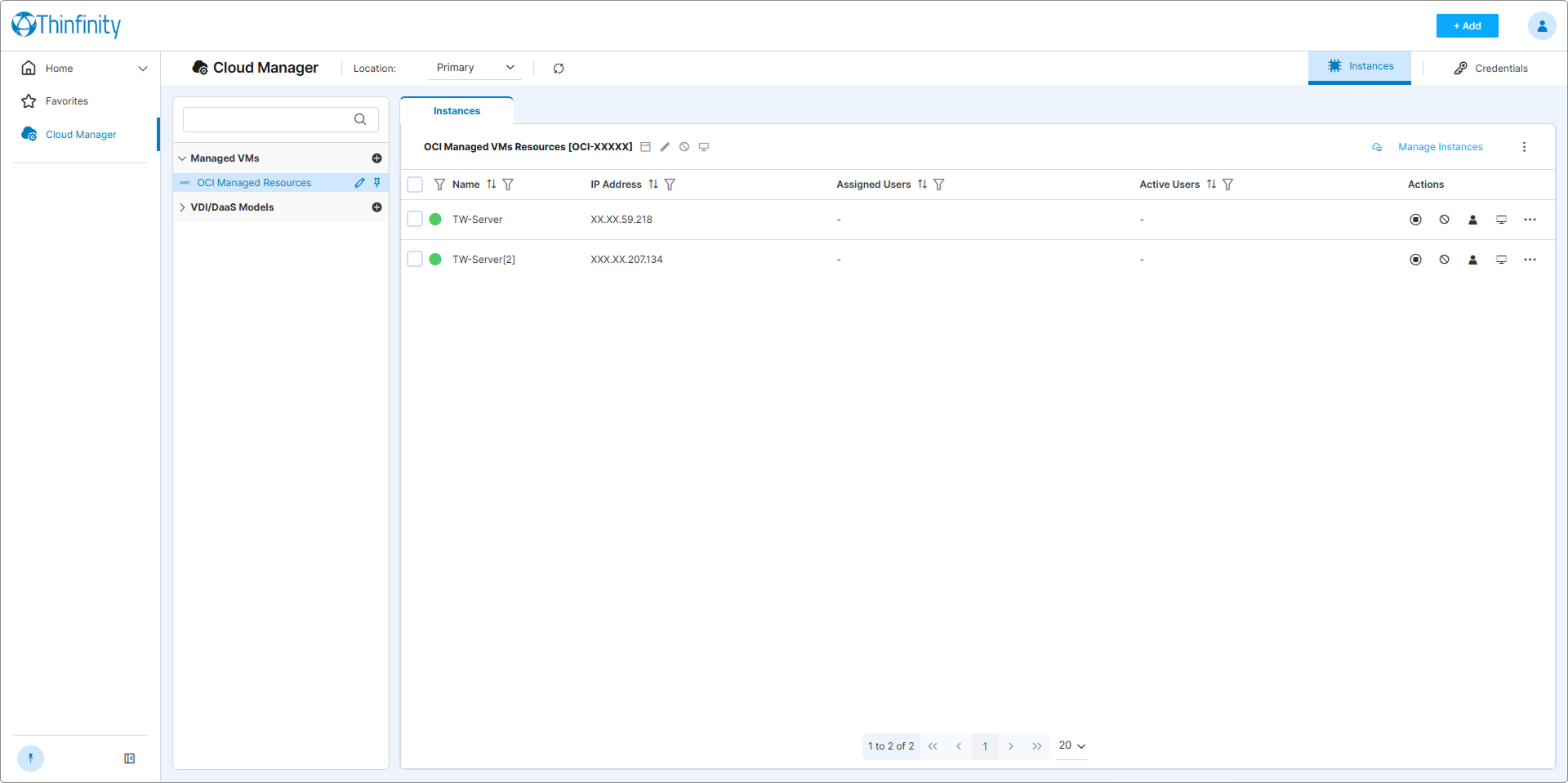
Single Instances sub-tab. The Manage Instances button in the header opens the dialog used to add or remove VMs tracked under the Managed VM. Managed VMs are not provisioned by Cloud Manager — they are pre-existing VMs linked to it. See Connect to Existing VMs.
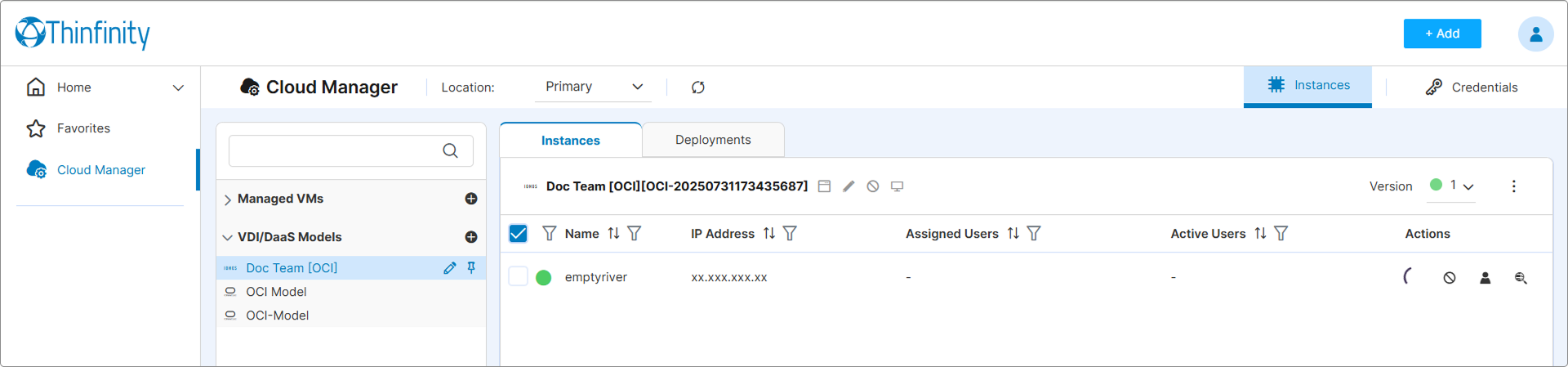
Two sub-tabs: Instances and Deployments. The Version selector in the header lets you target a specific model version. Instances are provisioned through deployments — see Deploy an Instance.
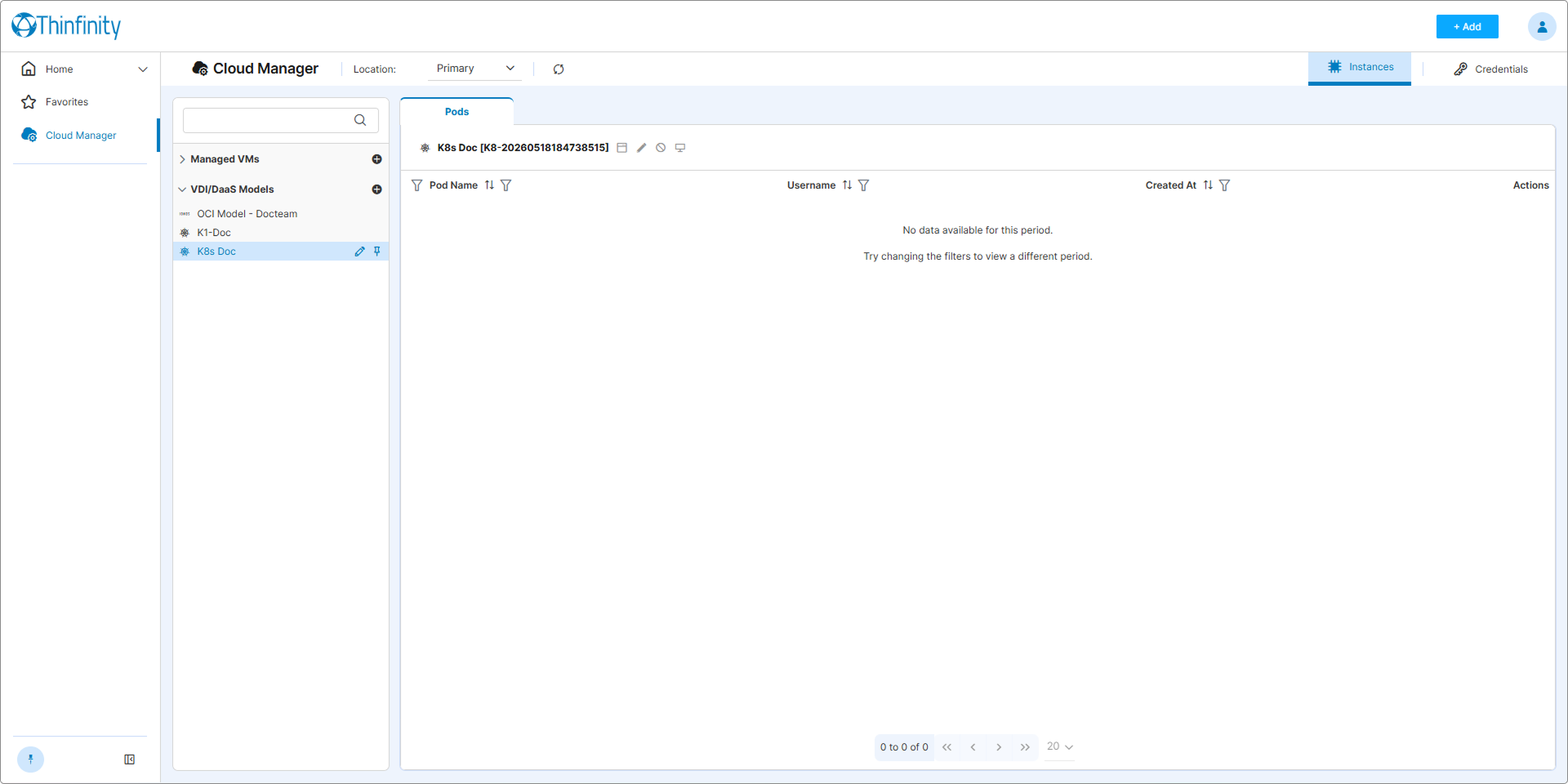
The tab is renamed to Pods. Columns and actions are Kubernetes-specific (Pod Name, Username, Created At). Pod lifecycle is governed by Kubernetes scheduling rather than by Cloud Manager lifecycle actions.
The Instances tab always shows the instances of the selected item. To view another item’s instances, select it in the left tree.
Kubernetes models are grouped under VDI/DaaS Models in the left tree, identified by a Kubernetes icon next to the model name. They are not a separate top-level category despite the different lifecycle model.
What’s in This Chapter
The articles below follow an instance’s lifecycle — deployment, day-to-day operations, and per-user assignment — and close with the state-model reference.
- Deploy an Instance — Provision new VMs from a VDI/DaaS model. Covers the Deployments sub-tab, the enqueue dialog, monitoring deployment progress, and per-deployment actions.
- Manage Deployed Instances — Day-to-day operations on instances: status monitoring, power control, enable/disable, user assignment, and detach. Covers single-instance and bulk actions for Managed VMs and VDI/DaaS.
- Manually Assign an Instance to a User — Pin one or more Thinfinity Workspace users to a specific instance. Covers when manual pinning is appropriate and how it interacts with pool mode and dynamic assignment.
- Instance States and Lifecycle — Reference for the two state values (Operational Status and Record State), the status icon vocabulary, transitions between states, and how to diagnose an instance in error.
See Also
- VDI/DaaS Models — Creating and configuring the models that instances are deployed from.
- Connect to Existing VMs — The Managed VMs equivalent of the deployment workflow.
- Power and Scheduling Settings — Model-level power policy that affects instance state after deployment.