
Update a Model’s Version
Updating a model’s version follows a Testing → Staging → Production promotion path. Versioning applies to VDI/DaaS Models; Managed VMs and Kubernetes Models use a single configuration.
Prerequisites
- The Edit on Models permission. See Cloud Manager Permissions.
- Recommended: Export the current Production version before promoting, as the operation overwrites the target version.
Create a New Testing Version
Click the edit icon on the model in the left tree to open the model editor. In the upper-left corner, the Version selector shows the current version and its state tag (Testing, Staging, or Production).
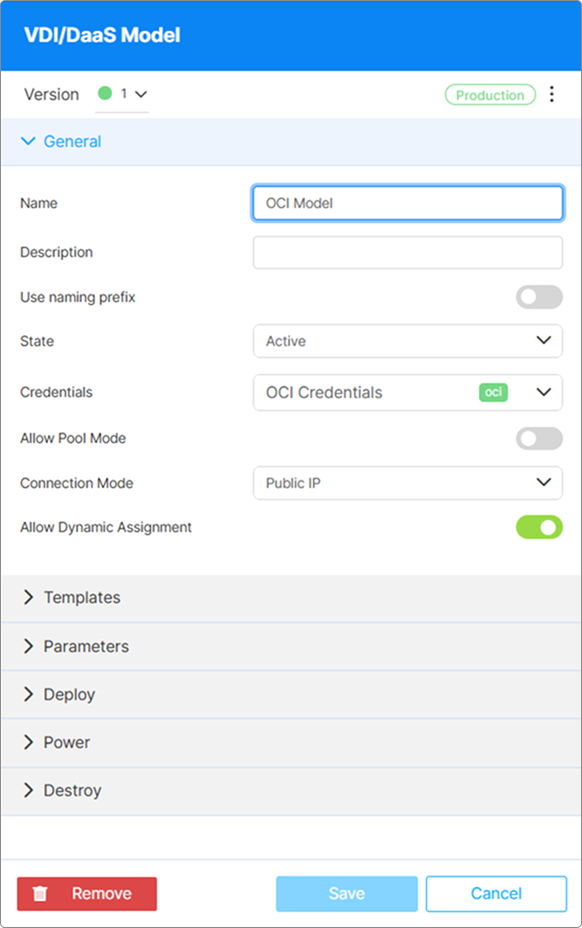
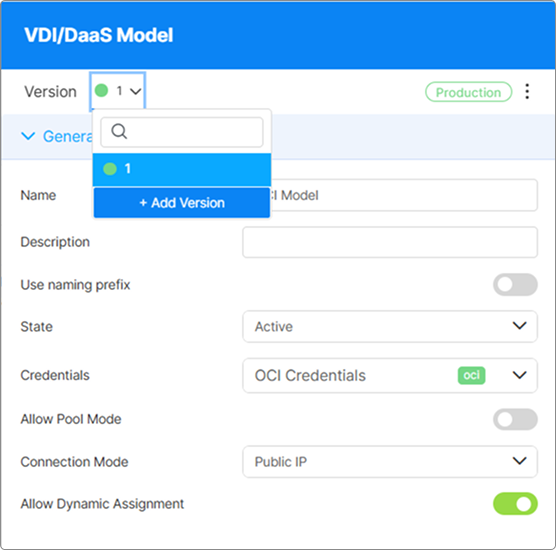
Open the Version dropdown and select + Add Version. In the confirmation dialog, click Yes.
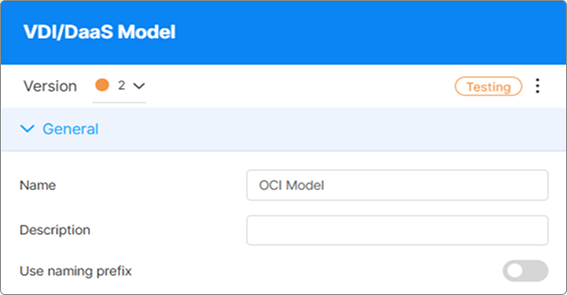
Cloud Manager creates a Testing version as a copy of the current Production version. The editor switches to the Testing version, which is now ready to be modified independently.
The Testing version is independent — edits do not propagate to Production or to running instances.
Make Your Changes
With the Testing version active in the editor, apply the changes you want to validate — update template files, adjust provisioning settings, modify power policies, and so on. Click Save after making changes.
You can deploy instances from the Testing version to validate behavior before promoting.
Promote to Staging or Production
Click the ⋮ menu in the upper-right corner of the model editor and select Switch to staging or Switch to production. Confirm the operation in the dialog.
This operation overwrites the target version and cannot be undone from within Cloud Manager. Export the version you are about to overwrite before proceeding. See Export and Import Models.
Promoting to Production changes the configuration used for all future deployments from this model. Instances that are already running continue operating under the version they were provisioned with. Any new instances deployed after the promotion use the new Production version.
What’s Next
- Export and Import Models — Back up a version or migrate a model to another environment
- Deploy an Instance — Deploy an instance from the updated model
- Model Versioning Overview — Review the version types and promotion workflow
See Also