
Edit
In the Edit tab you will find the following parameters:
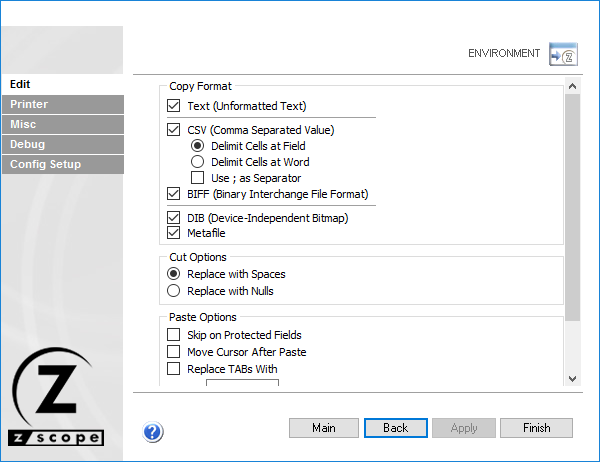
The following table describes the available options.
| Option | Description |
|---|---|
| Text (Unformatted Text) | Copies text into the clipboard unformatted. |
| CSV (Comma Separated Value) | Copies text into the clipboard as comma-separated values. Cells can be delimited as fields or at words. A semi-colon can be used instead of a comma. |
| BIFF (Binary Interchange File Format) | Copies text into the clipboard in BIFF format. |
| DIB (Device-Independent Bitmap) | Copies text into the clipboard in DIB format. |
| Metafile | Copies text into the clipboard in Metafile format. |
| Cut Options | Choose whether spaces or nulls are placed when performing a cut operation. |
| Skip on Protected Fields | Paste operation skips protected fields. |
| Move Cursor After Paste | Moves the cursor automatically to the end of the pasted text. |
| Replace TABs With | Replaces TAB characters with the specified text when pasting. |
| Enable Word Wrap in Multiline Fields | Wraps text in the available space for multiline fields. |