
Using HotSpots
The HotSpots that you created for a particular screen will appear directly in-line on that screen:
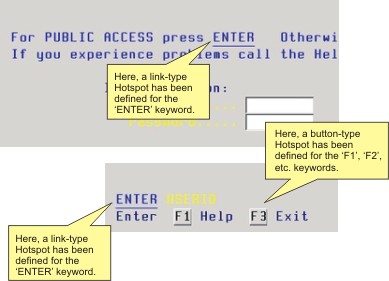
The way HotSpots appear on the screen depends on the display format specified in the Style tab in HotSpot Settings.
Info
In order to be able to use your HotSpot within a connection, you must first enable the HotSpot for that particular connection from the Settings Preferences Tab (3270, 5250) or Settings Preferences Tab (VT).