
Creating/Editing Screen Styles
In the Screen Styles management dialog you will find a list of the existing Screen Styles. You will also find the New icon which you can use to create a new Screen Style step by step.
If you want to modify the attributes of a previously created Screen Style, select it using the mouse and then select Next, or just simply double-select it.
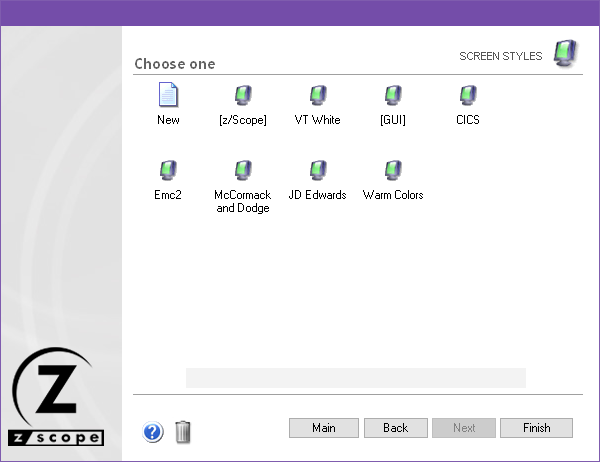
After you select Next, you will be presented with a dialog in which you will have access to all the attributes of the Screen Style you are creating or editing.
See Also
- Configuration Manager - Screen Styles - General Settings
- Configuration Manager - Screen Styles - Cursor Settings
- Configuration Manager - Screen Styles - Field Options Settings
- Configuration Manager - Screen Styles - Color Mapping Settings
- Configuration Manager - Screen Styles - 5250 Attributes Settings
- Configuration Manager - Screen Styles - VT Defaults Settings