
Gateway Manager
The Gateway Manager is a tool to configure gateway options.
Install z/Scope Anywhere and look for the z/Scope Anywhere Gateway shortcut in the Start Menu.
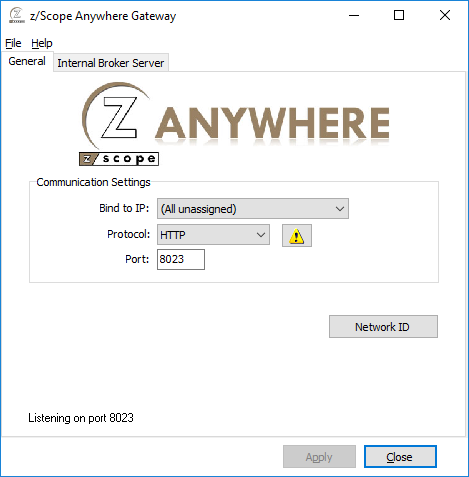
Its main menu has two sub-menus:
File Menu
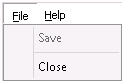
| Option | Description |
|---|---|
| Save | Saves any changes. |
| Close | Exits the z/Scope Anywhere Gateway Manager. |
Help Menu

| Option | Description |
|---|---|
| About z/Scope Anywhere Gateway… | Shows the application version and build number. |
General Tab Options
The following table describes the available options.
| Option | Description |
|---|---|
| Bind to IP | Restricts access to the service through one specific IP. The All unassigned option allows access through all possible IPs for the computer where z/Scope Anywhere is installed. |
| Protocol | Choose between HTTP and HTTPS. The HTTPS protocol uses SSL and is more secure. |
| Port | Port number for this computer to be accessed. |
| Network ID | Identifies this installation. Must be matched by all servers and gateways participating in the load balancing scheme. The default value is a random string but can be changed to something more descriptive. |

Select this button to configure HTTP error responses.

Select this button to replace the default installed certificate with your own. See Managing the SSL Certificate.