
Misc
In the Misc tab you will find the following parameters:
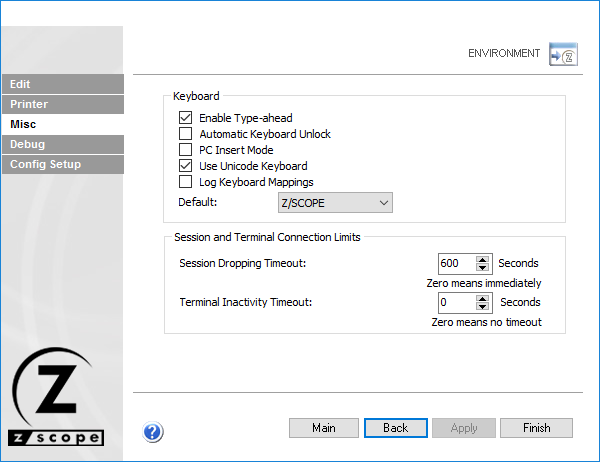
The following table describes the available options.
| Option | Description |
|---|---|
| Enable Type-Ahead | Sends keystrokes to a buffer while the screen is loading, so characters typed during that interval are sent when the screen is ready for input. |
| Automatic Keyboard Unlock | Automatically unlocks the keyboard after typing in a protected area of the screen. |
| PC Insert Mode | Uses Insert mode instead of Overwrite mode when typing. |
| Use Unicode Keyboard | Enables a Unicode keyboard. This may affect keyboard mapping. |
| Log Keyboard Mappings | Logs the keyboard mappings. |
| Default | Selects one of the existing keyboards as the default. |
| Session Dropping Timeout | Seconds before z/Scope Anywhere drops a session after the browser is closed. Zero means the session is dropped immediately. |
| Terminal Inactivity Timeout | Seconds before z/Scope Anywhere disconnects an inactive host connection. Zero means the connection is never terminated. |