
A Self-Signed Certificate
This option is used to create your own self-sign certificate.
-
Go to the z/Scope Anywhere Configuration Manager, select Server Settings, and then go to the Communication tab. Select Manage Certificate.
-
Select Create a self-signed certificate.
-
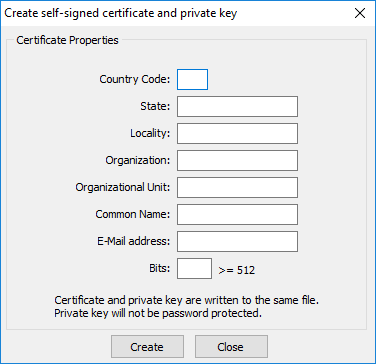
Fill in the form below with your organization data:
-
The Common Name field should be filled with the server+domain that will be used to access the z/Scope Anywhere server (zscopeanywhere.mycompany.com).
-
Select Create.
-
Select the location where you want the certificate to be stored.
-
The application will start using this self-signed certificate just created by you.
Note: Because this certificate is not issued by a known Certificate Authority (CA), the web browsers will warn you they cannot verify its authority.