
Adding a New Authentication Method
When you add a new authentication method, you need to set some parameters.
General Tab
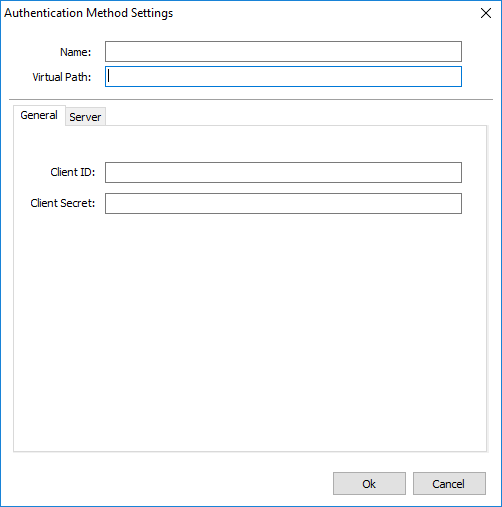
The following table describes the available options.
| Option | Description |
|---|---|
| Name | Name to identify this authentication method. |
| Virtual Path | If you access your z/Scope Anywhere URL followed by the virtual path (http(s)://ip:port/virtualPath), the application will attempt to log in with this method. |
| Client ID | Authentication provider Client ID, generated while configuring your account integration. |
| Client Secret | Authentication provider Client Secret, generated while configuring your account integration. |
Server Tab
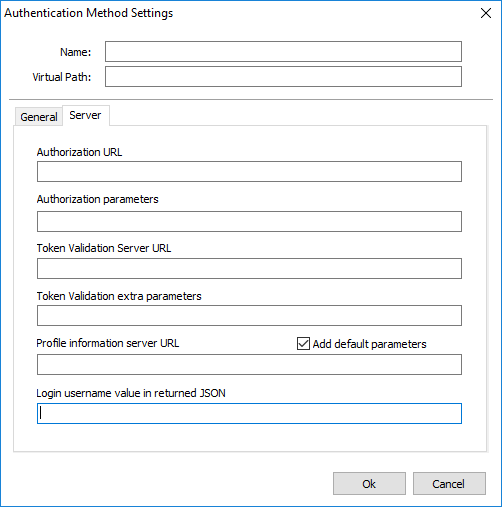
| Option | Description |
|---|---|
| Authorization URL | URL where your authentication provider can be reached to request authorization. |
| Authorization Parameters | Additional parameters for the authorization URL. |
| Token Validation Server URL | Authentication provider’s token validation server URL. |
| Profile Information Server URL | Authentication provider’s information server URL. |
| Login Username Value Returned in JSON | Name of the login username field as returned in JSON from your authentication provider. |