Using Keypads
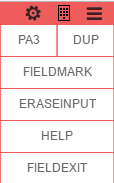
Keypads that are available for a particular connection will be automatically shown under the Keypad Connection View Menu icon (Connection View).
| Action | Description | |
|---|---|---|
 |
Mouse Over | If the connection has keypads, the keypad icon will be shown in the top right corner of the connection view. Select or hover over to see all enabled keypads, as shown in the image below. |