
Style
In the Style tab you will find the following parameters:
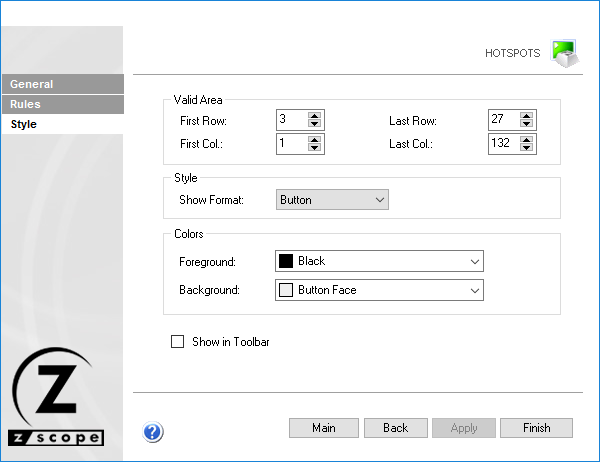
The following table describes the available options.
| Option | Description |
|---|---|
| Valid Area | Screen coordinates for the area where the hotspot is active. |
| Style | Display format for the hotspot: None (unaltered), Plain (labeled plain button), Link (underlined web-link style), Button (labeled 3D button), or Hover (underlined only on mouse hover). |
| Colors | Foreground and background color for the hotspot. |
| Show in Toolbar | Displays hotspots in a dynamic toolbar in the Emulation Display. See Using HotSpots. |