
Configuring MS SQL Server
MS SQL Server is needed by z/Scope Anywhere to store Analytics data.
Requirements:
-
An MS SQL Server 2005 (or higher) installation that is accessible from the machine running z/Scope Anywhere Server.
-
Create a blank database with permissions to Create/Modify tables and Read/Insert/Update data.
-
Go to the ‘Permissions’ tab in the Server Settings section of the z/Scope Anywhere Configuration Manager, and select Configure Analytics button:
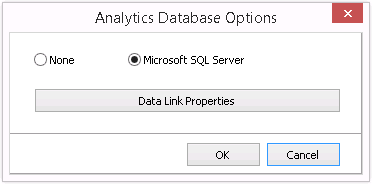
Choose Microsoft SQL Server.
- Access the Microsoft SQL Server Data Link Properties and configure the connection:
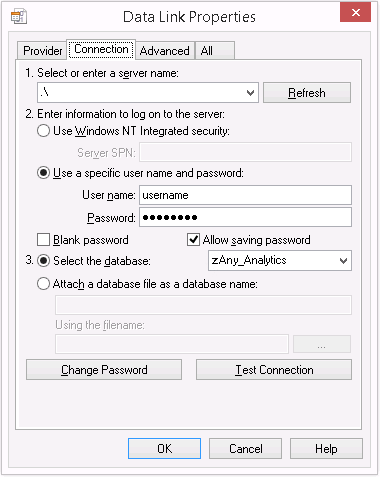
4.1 Enter the server name and complete the information to log in to the server.
4.2 Uncheck the Blank password field and check the Allow saving password field.
4.3 Select the database created in step 2.
- Go to the All tab:
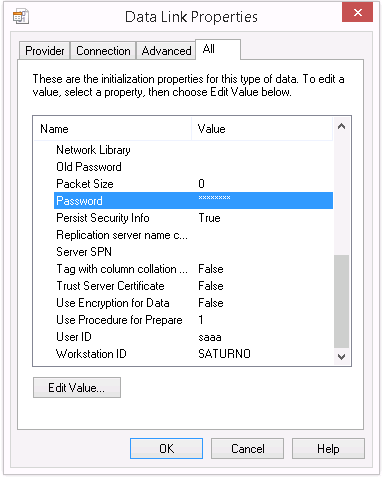
5.1 Set the Persist Security Info property to True.
5.2 Type the password in the Password field.