
Setting Up a UNIX/VT/SSH Connection
This page will guide you through the process of creating a UNIX/VT/SSH connection using the web user interface.
General
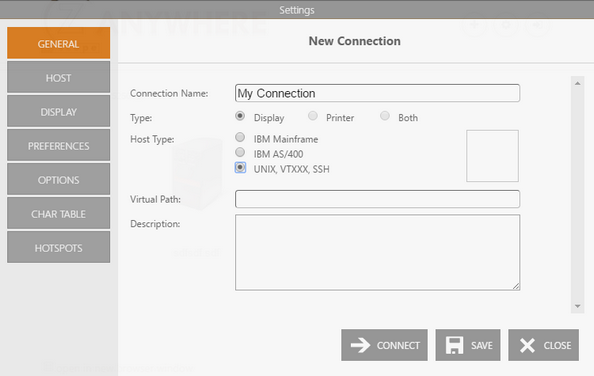
Enter the Connection Name and select UNIX, VTXXX, SSH as the Host Type. You can also better describe the connection by filling the Description field and adding an image to visually identify it.
Host
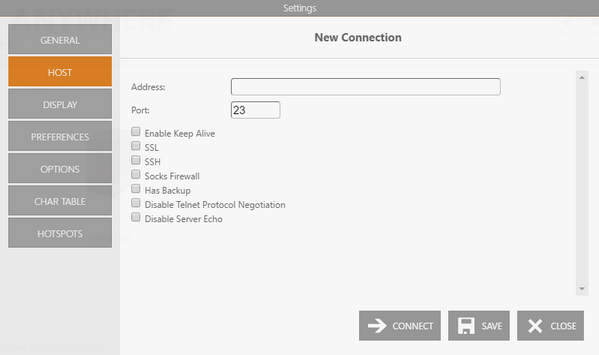
Enter the URL or IP address of the host you want to connect to.
You may check the SSH option. In that case, read the Connection with SSH topic.
Display Type
Specify the terminal type and the screen size.
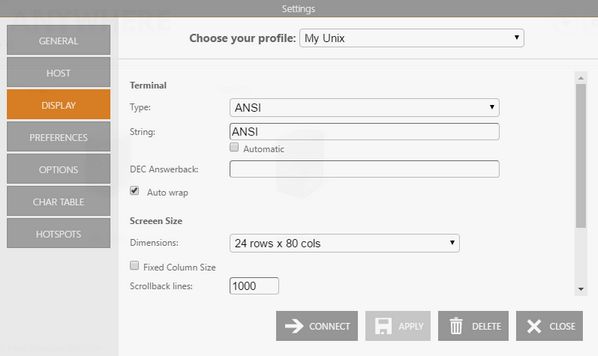
After that, select Apply, Save, or Connect.