
SSH Connection
This page will guide you through the process of creating an SSH UNIX/VT/SSH connection.
Once in the Host tab, enter the host address, the port, check the SSH option and go to the SSH tab.
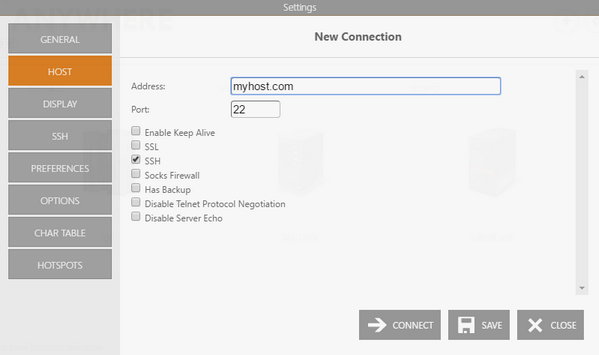
Marking the SSH checkbox will enable the SSH tab. Enter the username and password on the Authentication section to identify you in the connection.
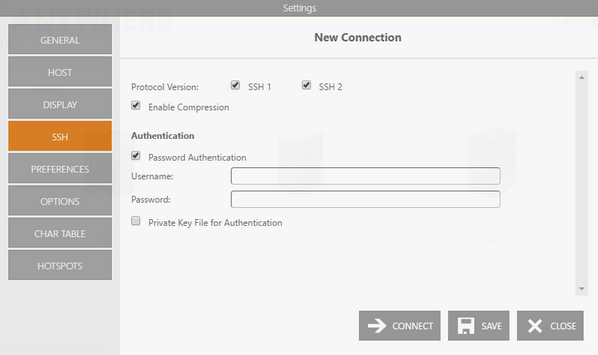
Additionally, you can specify a private key file by marking the Private Key Field checkbox and entering the file location in the Key file field.
After that, select Apply, Save, or Connect.