
Printer Connection View
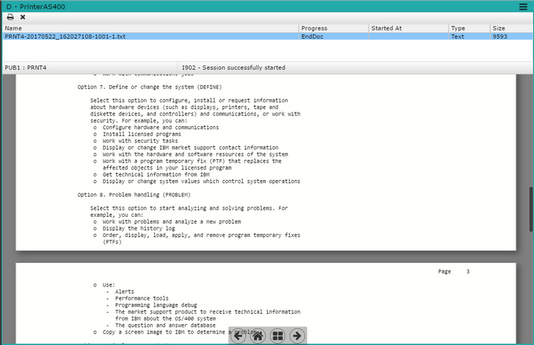
This is the printer connection view. You can select a print job and see a preview of the file:
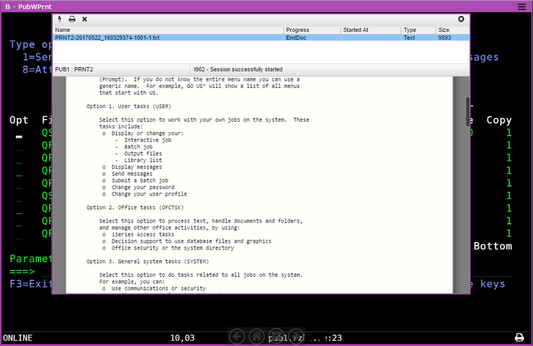
And this is a display and printer connection view:
Name
Name of the print job.
Progress
How much of the print job is complete.
Started At
The start time of the print job.
Type
Shows the print job type.
Size
Shows the print job size.
The printing status bar also shows information about the printer connection and the menu includes these options.
| Icon | Description |
|---|---|
 |
Connect or disconnect Select this button to connect or disconnect from the printer. |
 |
Print Select a print job and send it to the local printer. |
 |
Delete Select a print job and delete it from the printing queue. |
In a Display and Printer connection, access the printing panel with the printer icon you will find in the bottom right corner of the connection view:

Keyboard Shortcuts
You can move around the printer connection view using your keyboard.
| Key | Description |
|---|---|
| Up | Moves the selection up the print job list. |
| Down | Moves the selection down the print job list. |
| Delete | Deletes the selected print job. |
| Escape | Closes the printer popup in a Printer and Display Connection View. |
| Shift+Up | Moves the selection up the print job list when the focus is in the document preview. |
| Shift+Down | Moves the selection down the print job list when the focus is in the document preview. |