
Enabling and Configuring the External Web Authentication Provider
To enable the External Web Authentication Provider, check the ‘Enable External Web Authentication Provider’ option in the ‘Web Auth. Provider’ tab in the Server Settings. Select the HTTP method and complete the validation URL and, if the URL requires authentication, check the ‘This URL requires authentication’ option and enter the remote credentials.
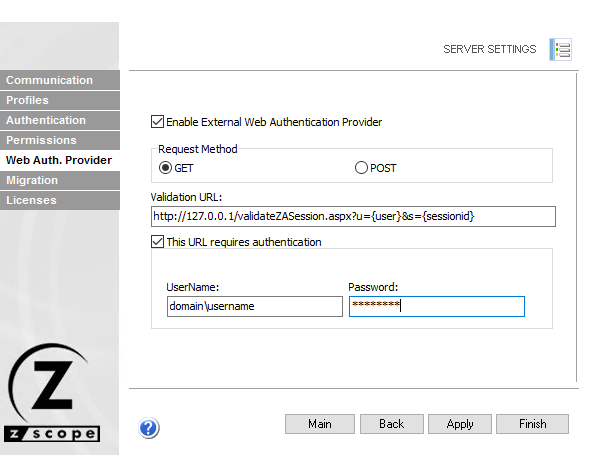
Press ‘Apply’ or ‘Finish’ to save the changes.