
VT Defaults
In the VT Defaults tab you will find the following parameters:
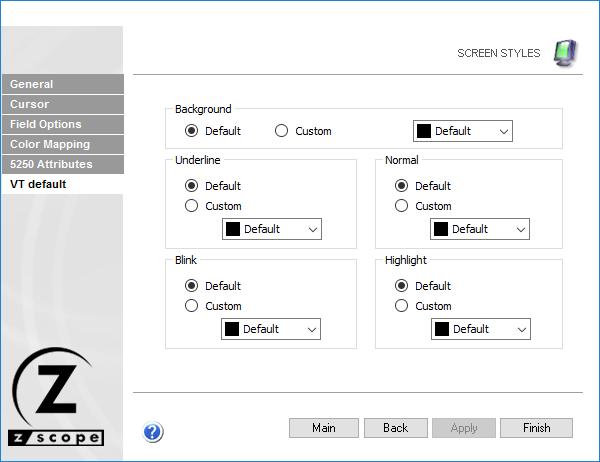
The following table describes the available options.
| Option | Description |
|---|---|
| Background | Background color for VT terminal emulation. Default is black. |
| Underline | Foreground color for underlined characters when no color attribute is specified by the VT host. |
| Normal | Foreground color for low intensity characters when no color attribute is specified by the VT host. |
| Blink | Foreground color for blinking characters when no color attribute is specified by the VT host. |
| Highlight | Foreground color for high intensity characters when no color attribute is specified by the VT host. |
See Also
- Configuration Manager - Screen Styles - General Settings
- Configuration Manager - Screen Styles - Cursor Settings
- Configuration Manager - Screen Styles - Field Options Settings
- Configuration Manager - Screen Styles - Color Mapping Settings
- Configuration Manager - Screen Styles - 5250 Attributes Settings