
Printer
In the Printer tab you will find the following parameters:
Info
This tab only becomes available when Printer or Both are selected as types in the General tab.
The following table describes the available options.
| Option | Description |
|---|---|
| Device Name | Host device name. |
| Connect on z/Scope Start | Starts the printer session automatically when z/Scope starts, independently of the display session. |
For IBM Mainframe connections, you will also see:
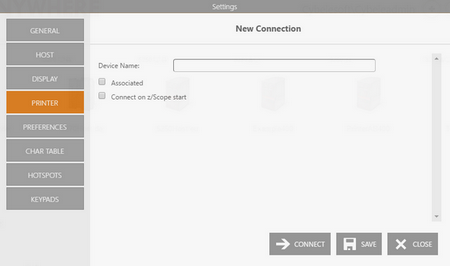
| Option | Description |
|---|---|
| Associated | Starts the printer session whenever the display session is started. |
For IBM/AS400 connections, you will also see:
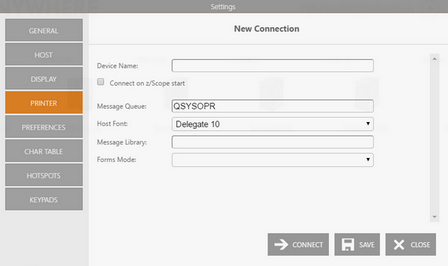
| Option | Description |
|---|---|
| Message Queue | Host queue name. |
| Host Font | Host font to use. |
| Message Library | Host library name. |
| Forms Mode | Desired forms mode. |
See Also
- Mainframe/AS400 Connections - General Settings (Web Interface)
- Mainframe/AS400 Connections - Host Settings (Web Interface)
- Mainframe/AS400 Connections - Backup Settings (Web Interface)
- Mainframe/AS400 Connections - Display Settings (Web Interface)
- Mainframe/AS400 Connections - Socks Settings (Web Interface)
- Mainframe/AS400 Connections - SSL Settings (Web Interface)
- Mainframe/AS400 Connections - Preferences Settings (Web Interface)
- Mainframe/AS400 Connections - Char Table Settings (Web Interface)
- Mainframe/AS400 Connections - HotSpots Settings (Web Interface)
- Mainframe/AS400 Connections - Keypads Settings (Web Interface)