Connection Buttons
The z/Scope Anywhere Start Page has a set of buttons. Each button stands for a different kind of connection or function button.
| Action | Description | |
|---|---|---|
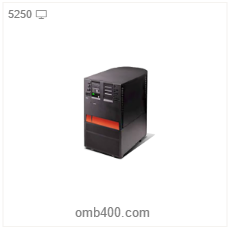 |
5250 Connection | The 5250 buttons are shared connections to IBM AS/400 hosts. Select this button to open a new 5250 connection with the host using the previously configured settings. |
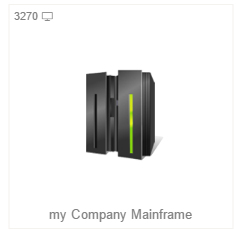 |
3270 Connection | The 3270 buttons are shared connections to IBM Mainframes. Select this button to open a new 3270 connection with the host using the previously configured settings. |
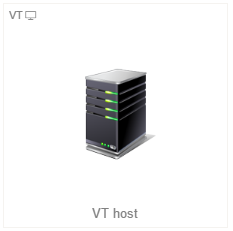 |
VT Connection | The light blue buttons are shared connections to UNIX, VTXXX or SSH hosts. Select this button to open a new connection of this kind with the host using the previously configured settings. |
Also in the top left corner of the connection buttons you can find different icons.
| Icon | Description |
|---|---|
 |
Protocol The connection button will either say 5250, 3270 or VT. Indicating the connection’s protocol. |
 |
User This icon means that it is a private connection profile created by the logged user. |
 |
Display This icon indicates that the profile has a connection view. It can be combined with the printer icon in a printer and display view. |
 |
Printer This icon indicates that the profile has a printer view. It can be combined with the printer icon in a printer and display view. |
 |
Connection Profile Icon This is the default connection profile icon, which you can change. Check out the customizing a connection profile topic for editing Private Connection Profiles and creating/editing shared connection profiles for Shared Connection Profiles. |
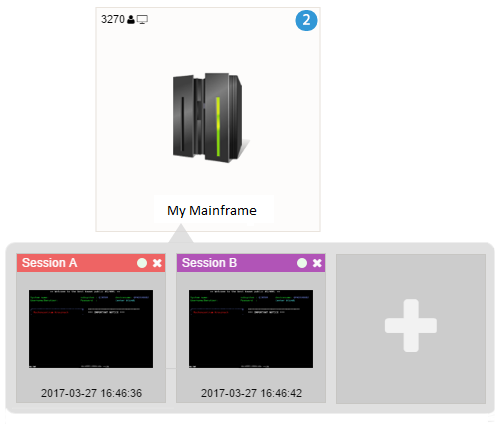
The amount of different sessions of the same connection are shown with a light blue number. If you hover your mouse over a connection you will see a preview of these sessions. From this view you can open, close and select sessions: