
FSLogix Cluster – Sizing and Configuration
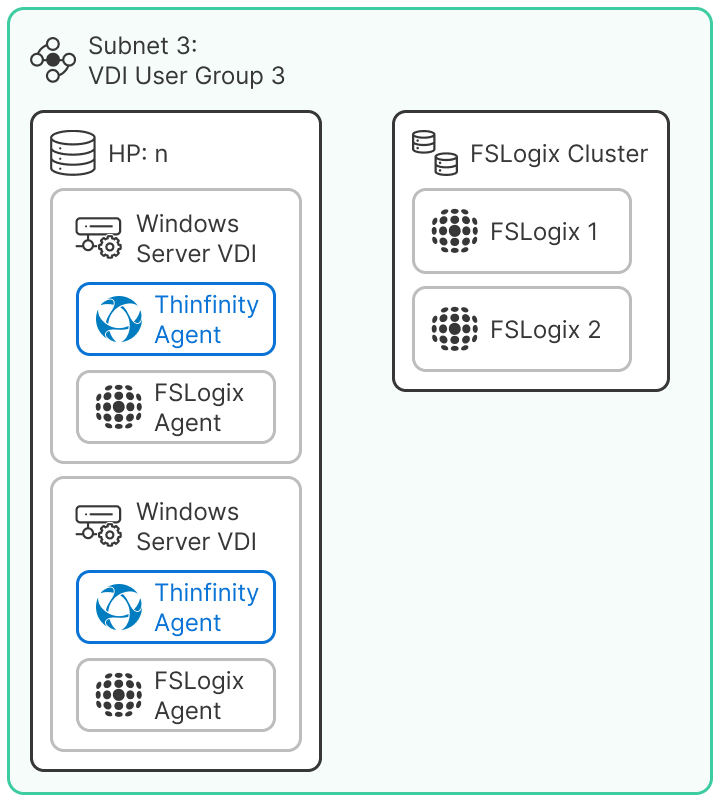
FSLogix clusters ensure user profile persistence across VDI environments. Each cluster node runs on Windows Server 2022 and provides dedicated storage for dynamic profiles, guaranteeing session consistency across different VDI hosts. Configuration is applied and managed through GPOs (Group Policy Objects), ensuring standardization and centralized governance throughout the environment.
FSLogix Configuration Parameters (via GPO)
| Key | Type | Value (Production / CRC) | Value (Dev/QA) | Notes |
|---|---|---|---|---|
| Enabled | Dword | 1 | 1 | Enables FSLogix. |
| DeleteLocalProfileWhenVHDShouldApply | Dword | 1 | 1 | Removes local profiles when VHD is applied. |
| ForceLogoffOnSessionDisconnect | Dword | 1 | 1 | Forces logoff when a session is disconnected. |
| IsDynamic | Dword | 1 | 1 | Enables dynamic VHDX. |
| KeepLocalDir | Dword | 1 | 1 | Retains local directory. |
| LogoffWaitTime | Dword | 768 | 768 | Logoff wait time (ms). |
| OutlookCacheMode | Dword | 1 | 1 | Enables Outlook cache. |
| ProfileType | Dword | 0 | 0 | Default profile type (VHDX). |
| RoamIdentity | Dword | 1 | 1 | Enables identity roaming. |
| SizeInMBs | Dword | 10000 | 15000 | Maximum VHDX size. |
| VHDLocations | String | to define | to define | Path to the VHDX repository. |
| VolumeType | String | vhdx | vhdx | Volume type. |
Summary
- Each VDI instance uses the FSLogix Agent to connect to the cluster over SMB (port 445).
- The dynamic disk setting (
IsDynamic = 1)optimizes storage usage by expanding profiles as needed, preventing unnecessary disk consumption. - The value of
SizeInMBsis not fixed; it varies by environment and should be defined according to user requirements within each User Group (for example, Production users may require 10 GB, while Dev/QA users may need 15 GB or more). - The
VHDLocationspath must be defined according to the final topology of the storage cluster.
Disk sizing is flexible and user-group dependent. FSLogix allows tailoring the maximum VHDX size per user group to match workload intensity while maintaining efficient storage allocation.