
Local Thinfinity IdP Settings
Thinfinity® Workspace can function as an IdP, allowing centralized management of user access and permissions within the platform.
Thinfinity IdP is a built-in authentication server that allows you to manage users and credentials directly within the platform, rather than relying solely on external providers like Google or Microsoft Azure AD. Thinfinity IdP functions by acting as the “source of truth” for user identities. When a user attempts to access the workspace, the system uses the configurations set in the Directory Services tab (Authentication tab) to verify who they are.
In Thinfinity IdP you can create Accounts and map them with accounts from external identity providers.
To access the associated parameters, select Configuration Manager>Authentication>Directory Services and select Add, then select Thinfinity IdP.
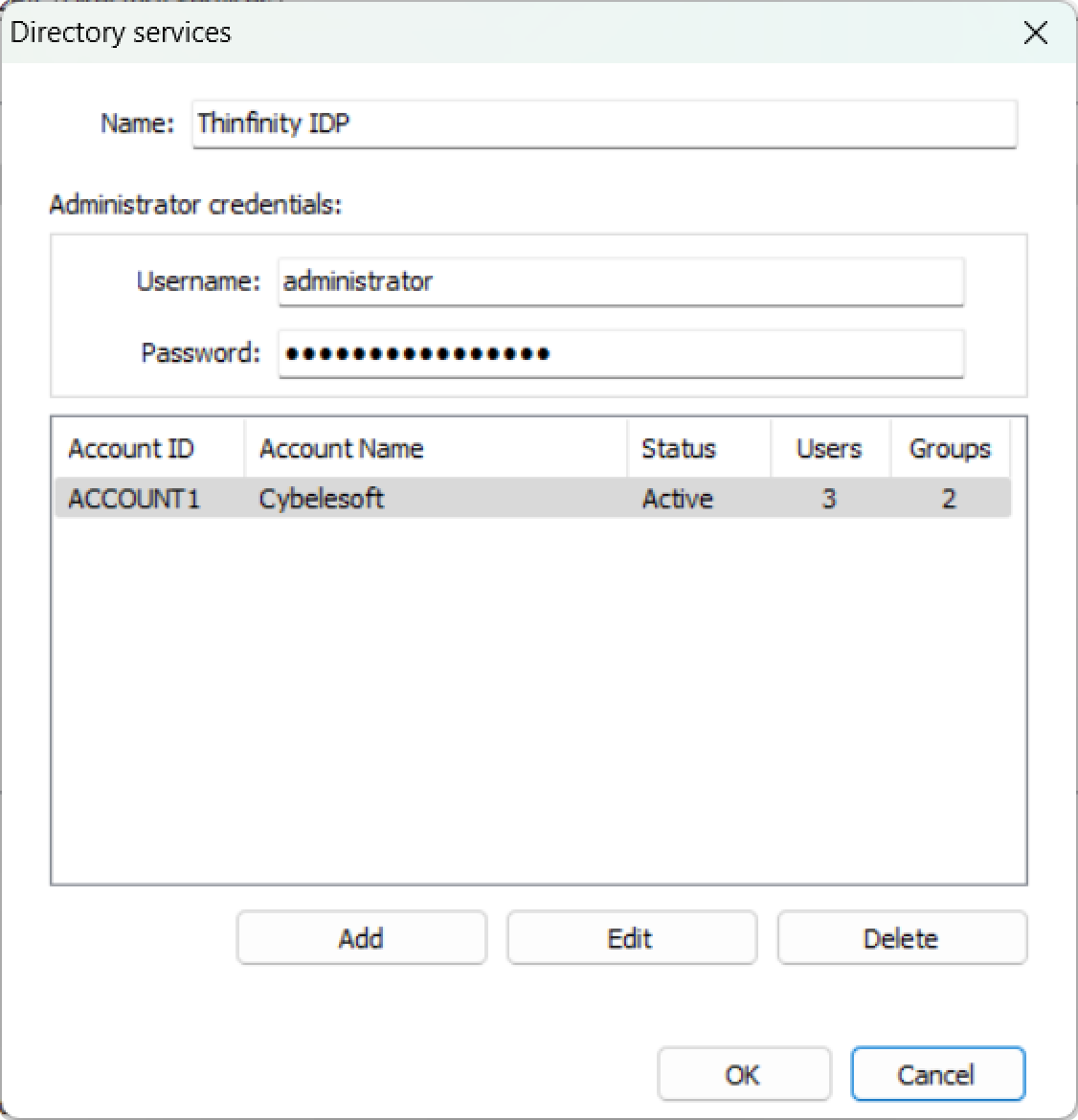
The following parameters are available for a Thinfinity Admin user account:
| Option | Description |
|---|---|
| Name | By default, this field is filled in with the name of the selected Directory Service. Modify if applicable. |
| Administrator Credentials Username/Password | Set a name and a password for the Thinfinity Admin user account. For security reasons, avoid using “administrator” as a username. |
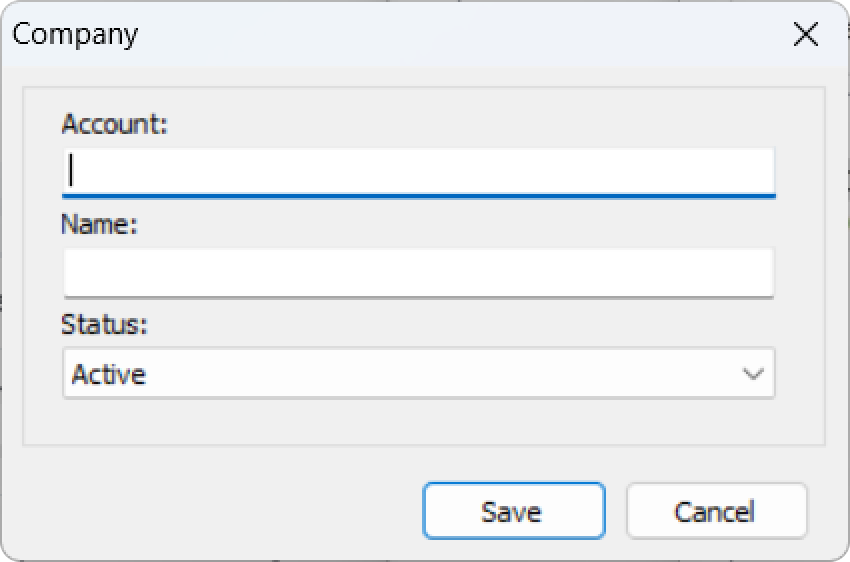
To add an Account inside Thinfinity IdP, select Add. The following dialog window is displayed.
| Option | Description |
|---|---|
| Account/Account ID | The unique identifier of the Account. In Thinfinity IdP, an Account is a top-level identity created here that owns its own users and permissions. Stored uppercase and trimmed; up to 32 characters. Required and unique across the IdP database. |
| Name/ Account Name | The display name of the Account. Used as a label alongside the Account ID. |
| Status | The Account’s login status. Active permits login; Pending, Inactive, and Locked each block login with the corresponding status code returned by the authentication service. |
Alternatively, you can use the Members add-on to configure the Thinfinity IdP settings.