
File Transfer
The File Transfer group of the connection toolbar moves files between the client device and the remote resource through the intermediate disk.
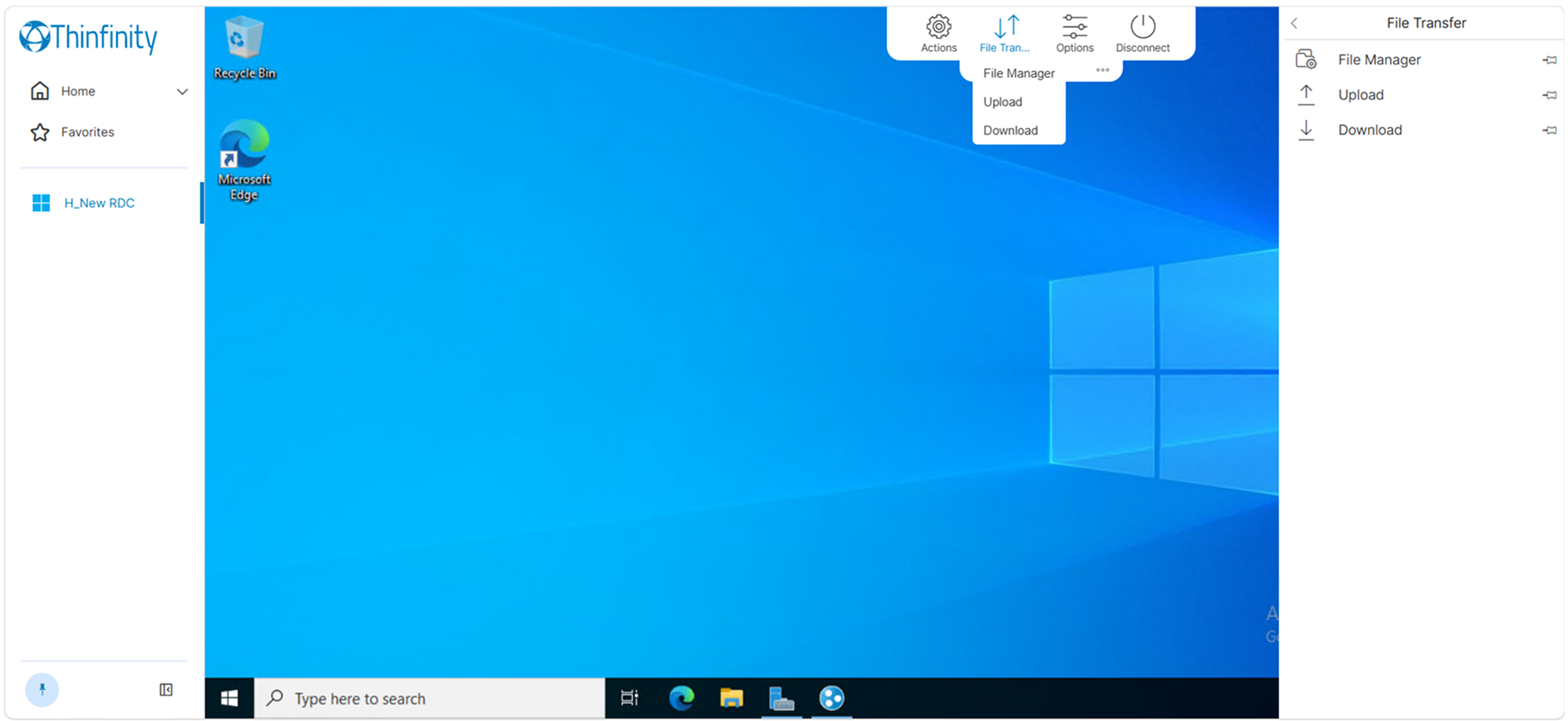
| Option | Description |
|---|---|
| File Manager | Opens the intermediate disk for browsing. |
| Upload | Sends a file from the client device to the intermediate disk. |
| Download | Retrieves a file from the intermediate disk to the client device. |
Each command in this group can be suppressed independently through the administrative configuration: the toolbarRestrictions tree in web.settings.js exposes files.fileManager, files.upload and files.download as separate switches, so an administrator can remove any one of them without hiding the whole group.
Availability
Two conditions govern this group, and both must be met:
- The user holds the Show File Transfer permission in the RDC group of the Configuration Manager Permissions tab.
- The Access Profile has Enable Intermediate Disk turned on in its Resources settings.
When either condition is unmet, the group is absent from both the connection toolbar and the Toolbar panel.
The disk name presented to the session is set by the Disk Name field of the Access Profile, and defaults to ThinDisk.
For the Show File Transfer permission, see Permissions Tab. For the intermediate disk and the wider file-transfer mechanism, see Transfer Files with Thinfinity WebBridge.