
Members
This option is only available when using Thinfinity® Workspace as an identity provider (Thinfinity IdP).
For details, see Thinfinity IdP and Local Thinfinity IdP Settings.
Members add-on allows defining and managing users and groups when using Thinfinity Workspace as an identity provider.
To access the Members add-on, select the user profile icon and then select Members.
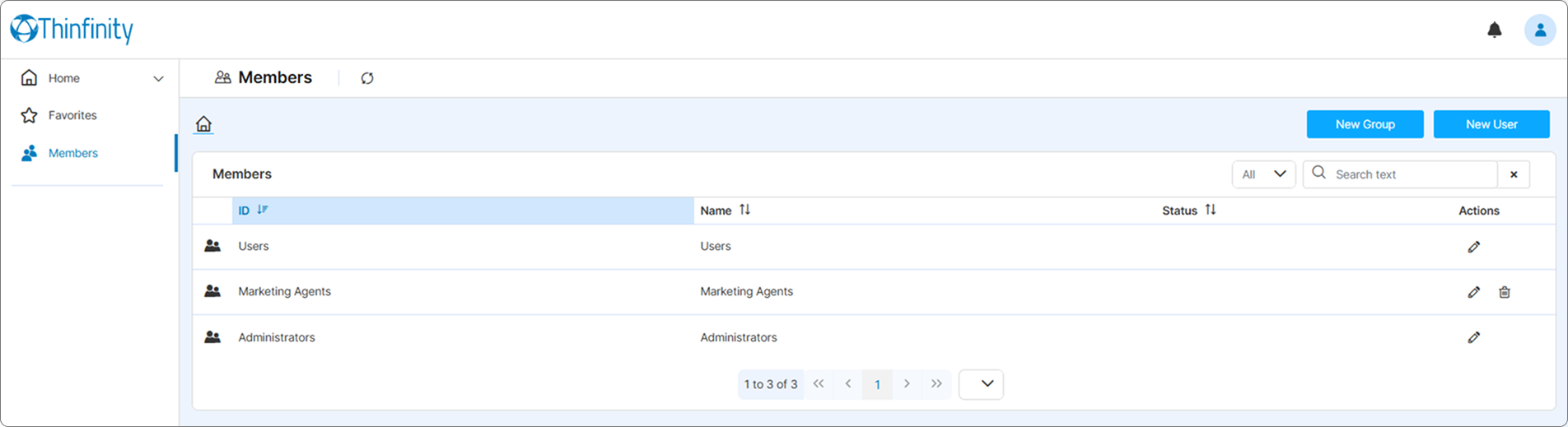
A list of members (users or groups) defined in the system is displayed.
For each entry, the following data is available: ID, name, status.
For each member, the following actions are available:
- Add - New Group and New User buttons at the top right of the screen,
- Edit or Delete - to the right of each member entry in the list.
The search bar at the top right of the page allows searching for a specific member (user or group).
Here are the parameters available when defining new members.
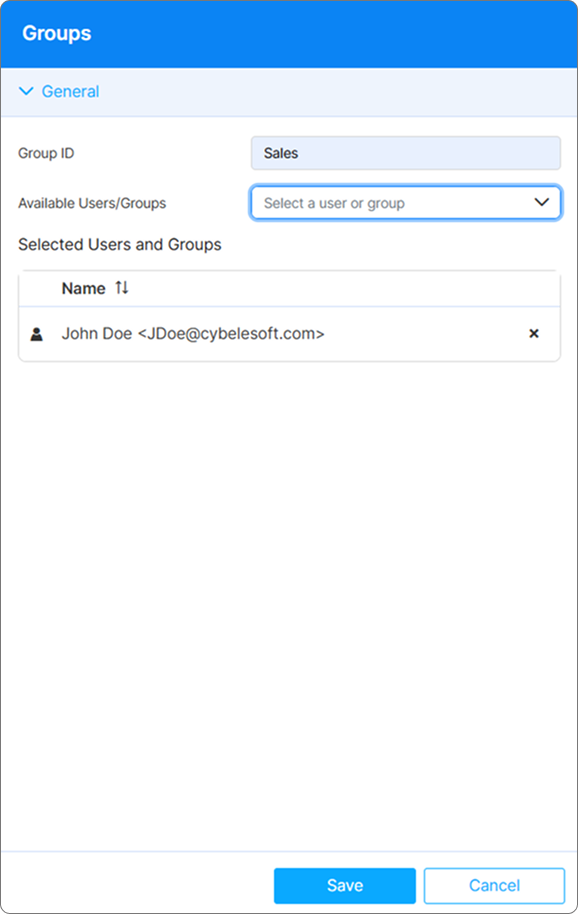
For a new group, the following parameters are available.
| Option | Description |
|---|---|
| Group ID | Unique parameter to identify a Group. |
| Available Users/Groups | Allows selecting the Users and/or Groups that will be part of the new Group. |
| Selected Users and Groups | Lists the members of the new group, allows deleting them if needed. |
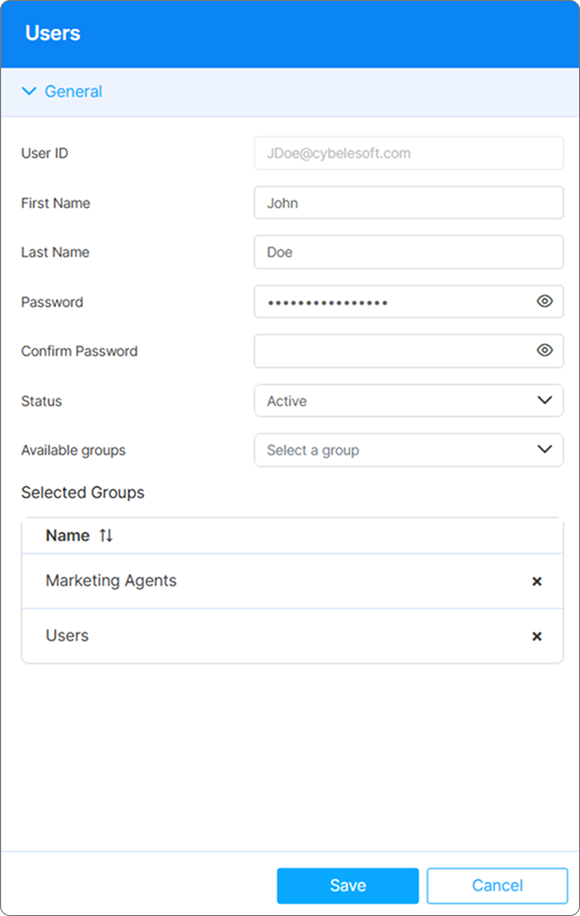
For a new user, the following parameters are available.
| Field | Description |
|---|---|
| User ID | Unique parameter to identify a user, has to be an email address. |
| First Name | First name of the user. |
| Last Name | Last name of the users. |
| Password/Confirm Password | Set a password for the new user, and confirm it. |
| Status | Allows selecting a status for the user, available options: Pending, Active, Inactive and Locked. |
| Available Groups | Allows selecting of Groups that the user will be a part of. |
| Selected Groups | Shows a list of groups that the user is currently a part of, can be deleted if needed. |