Installing a Testing/Evaluation Setup - All-in-One
This article presents the installation of the All-in-one setup used for testing or evaluation purposes. All-in-one installation mode installs all Thinfinity® Workspace components (Gateway, Broker, Agent) on a single machine.
To deploy all Thinfinity Workspace components on a single server, follow the steps below.
Download the installer
Use the link you received from us or the Cybele Product Downloads page to download the installation package.
Run the installer
Start the installation wizard on the target machine, choose the destination folder, and then run it.
Launch Thinfinity Workspace
In the last step of the wizard, select launch Thinfinity Workspace.
Set a Role for the Thinfinity Workspace Server
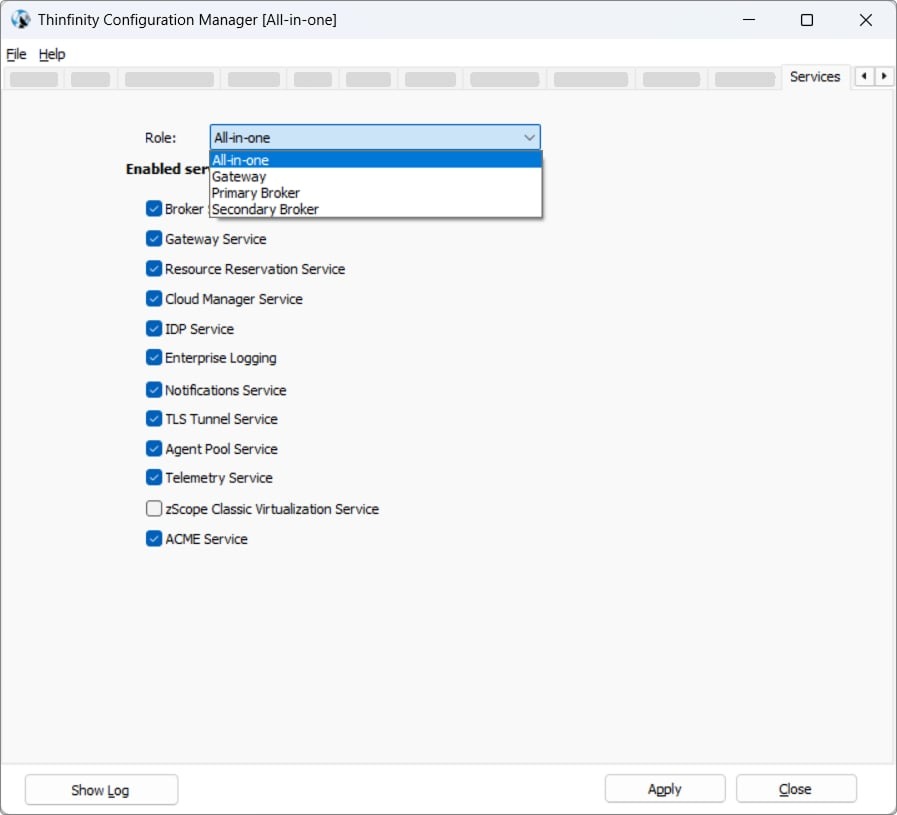
The first time you open Thinfinity Workspace after installation, you will be prompted to select a setup or a role. Accept the default setup, All-in-one, and select Apply.
Activate the License
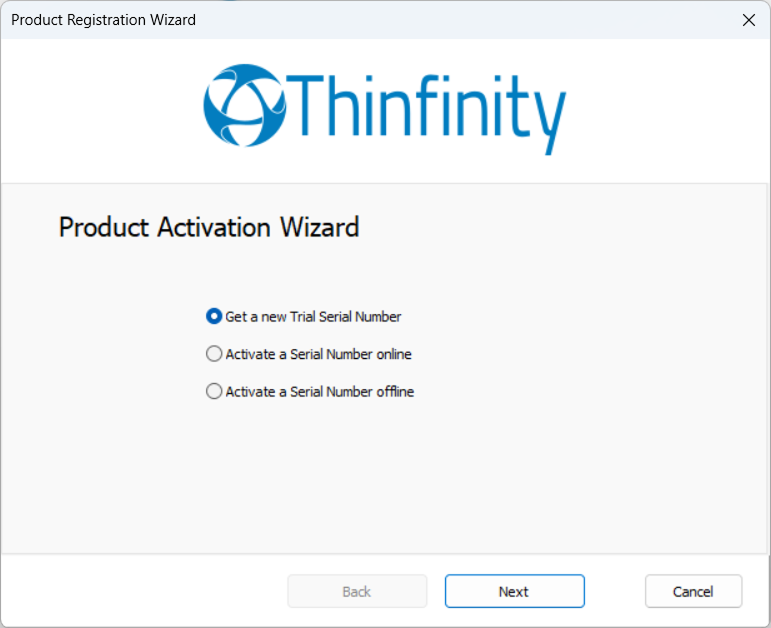
After selecting the role, the next step is to activate the license: three options are available as shown in the following image.
Access the main Thinfinity Workspace Interface - the Web Manager
After the license is activated, the installation process is finished and you can access the Thinfinity Workspace dashboard or homepage.
For details on the options available in the interface, see User Interface Overview.
All the components are installed, and the associated services are available in the Services tab.