
Miscellaneous
The Miscellaneous group of the connection toolbar holds connection information, rendering control, and diagnostic export.
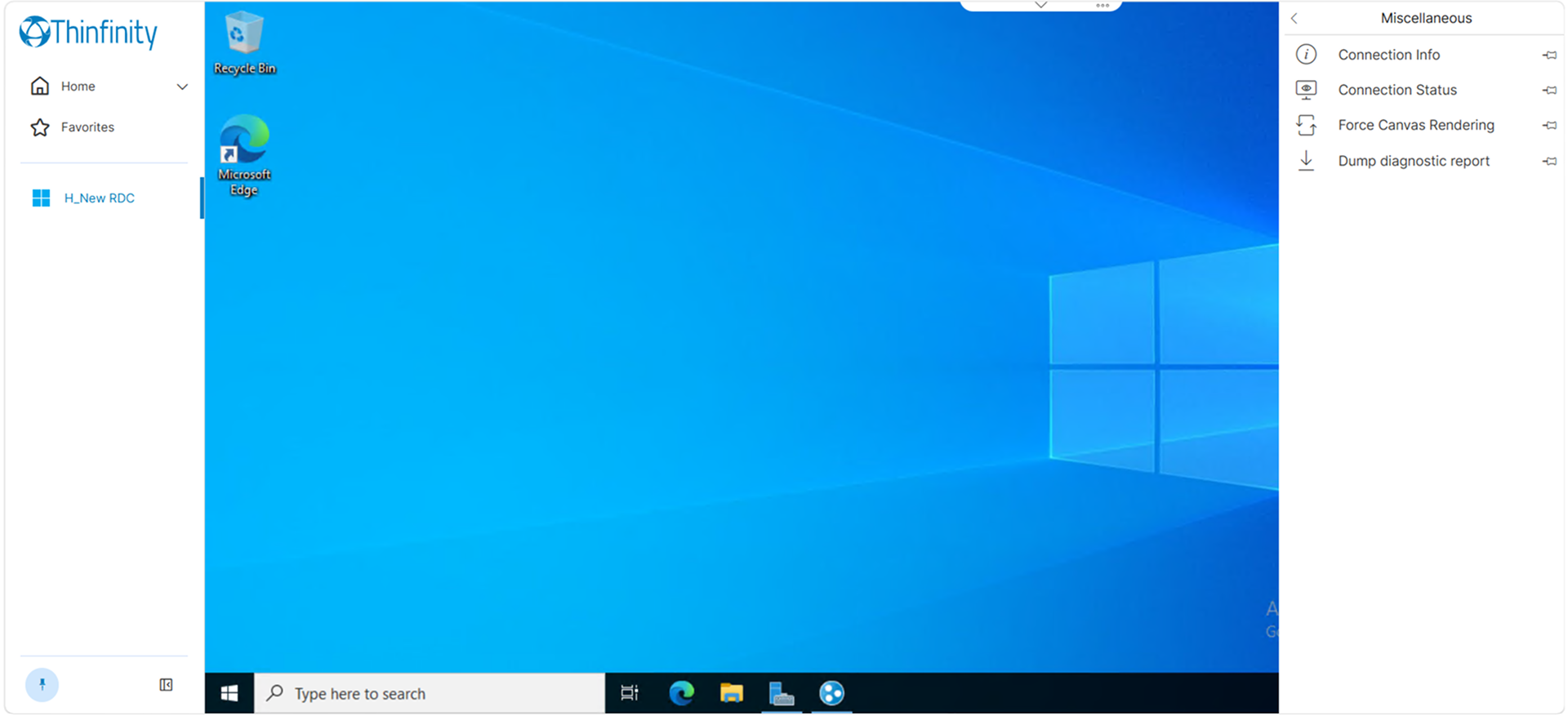
| Option | Description |
|---|---|
| Connection Info | Opens the Connection info panel, which reports the current state of the connection. |
| Connection Status | Opens the Metrics panel, which measures gateway and agent latency and runs throughput tests. See Connection Metrics. |
| Force Canvas Rendering | Switches the session to canvas rendering. The change applies immediately to the running session and remains active on subsequent connections until explicitly disabled. |
| Dump diagnostic report | Downloads a console log export for the session as a self-contained HTML file. |
Connection Info Panel
The Connection info panel reports the following. It can be dragged to another position over the session.
| Field | Description |
|---|---|
| Status | The connection state. |
| Protocol | The transport carrying the session. |
| Decoder | The decoder handling the session stream. |
| Resolution | The resolution mode in effect. |
| Sound Status | The state of the audio channel. Reports undefined when no audio channel is active — for example, when Enable Remote Sound is off in the Access Profile, or when the remote resource has no audio devices configured at the operating-system level. |
| Viewport Size | The dimensions of the browser area hosting the session. |
| Session Size | The dimensions of the remote session. |
| DPR | The device pixel ratio reported by the client device. |
| Zoom | The zoom level applied to the session. |
| RSize | The client device’s screen dimensions, in CSS pixels — the physical screen resolution divided by the operating system’s display-scaling factor. |
| Compatibility Mode | Whether the session is rendering through the canvas fallback (see Force Canvas Rendering above). |
| Browser | The client platform and browser reported to the server. |
Console Log Export
Dump diagnostic report produces an HTML file containing the session’s console log, with a summary header and a filterable table.
The summary reports the generation timestamp, the time range covered and its duration, entry counts by level, the sessions detected, the connection state transitions, and the final state. The table lists each entry by time, type and message, and can be narrowed by level, by substring or regular expression search, and by case sensitivity.
The exported file contains the session identifier, the connection state history, host names and connection diagnostics for the period covered. It is written to the client device as an unencrypted file that the user can forward. Handle it as session diagnostic data.