
Labels
The Label functionality enables the categorization of connections, referred to as Access Profiles, into specific groups to facilitate collective management of permission configurations across multiple profiles simultaneously. A Label functions as a hierarchical container that allows administrators to systematically organize Access Profiles. An individual Access Profile may be associated with multiple Labels concurrently, supporting flexible grouping and access control management.
Also, Labels can be organized into nested structures according to the specific needs of each company. By default, child labels inherit the permissions configurations from their parent labels, but if necessary, permissions can be customized for each label and/or Access Profile.
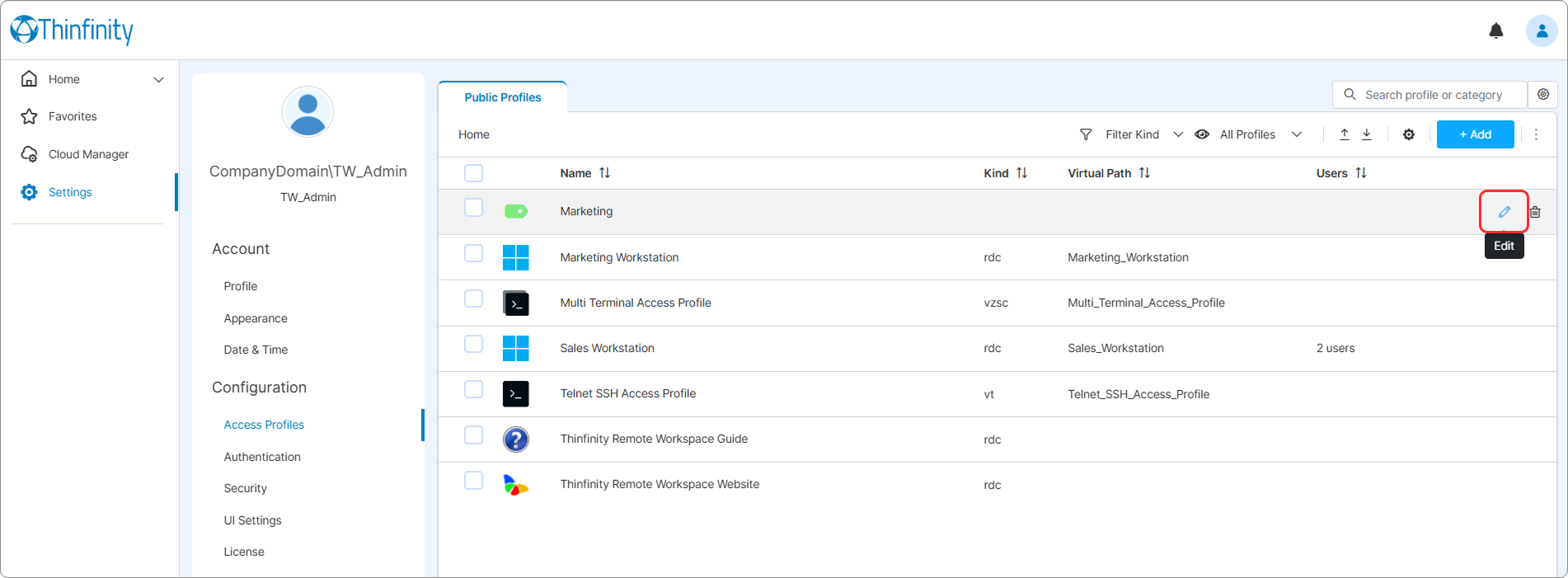
To access the settings of a Label: From the user menu select Settings then Access Profiles and in the Public Profiles tab, select the Edit icon of the Label you want to edit.
Alternatively, from the home page select the three-dot button of a label and select Edit to access the Label Configuration menu.
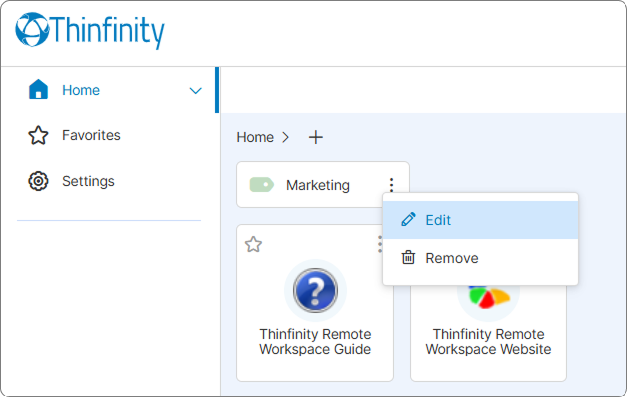
A Label will only be visible in the home page if it contains at least one Access Profile.
Also, to be able to edit a Label configuration a user must have Access rights. See the Permissions Tab below for details.
The following options are available in the Label Configuration menu:
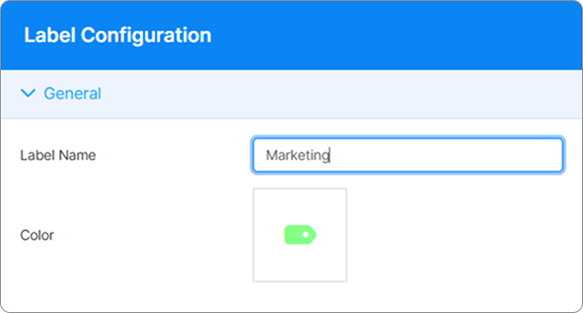
In the General tab you can edit the name and the color of the Label.
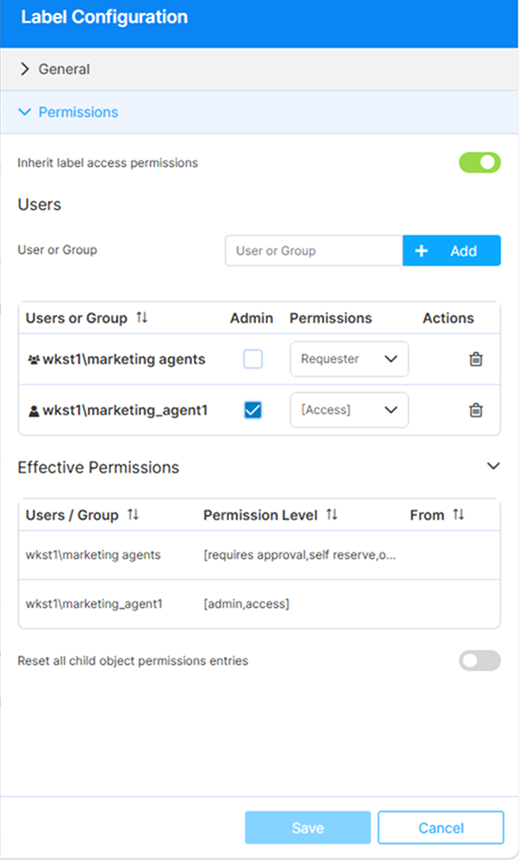
The Permissions tab allows managing the access permissions for the selected Label.
| Option | Description |
|---|---|
| Inherit label access permissions | This option is selected by default, and it indicates that the Label inherits permissions from a parent label. |
| User or Group | The Users area allows selecting the users and/or groups that will be able to access the current Label (child labels and/or the Access Profiles within this Label). + Add button allows adding the selected user or group to the User and Group list.Admin checkbox allows granting a user Admin permissions for the current Label. |
| Effective Permissions | This area shows the resolved permissions for the current Label: entries assigned directly plus entries inherited from any parent Label. Each row shows the Permission Level column and the From column (empty when directly assigned, or the parent Label when inherited). |
| Reset all child object permissions entries | Selecting this option will disable the Inherit access permissions option for all the child Labels and you will be able to customize the permissions for each Label and/or Access Profile within the current Label. |
For details on how label permissions and the authorization model work, see Access Management.
For details on role-based permissions used in resource reservation approval workflows, see Access Profiles Permissions Group.
Private labels can be enabled for use by all users or by designated ones. For details on private profiles, private labels and how to enable them, see Private Profiles Tab.