
Proxy Tab
Environments that route outbound traffic through a corporate proxy prevent this server from reaching external endpoints directly. The Proxy tab configures the outbound proxy that the product uses when it initiates HTTP or HTTPS requests to external services on behalf of the server.
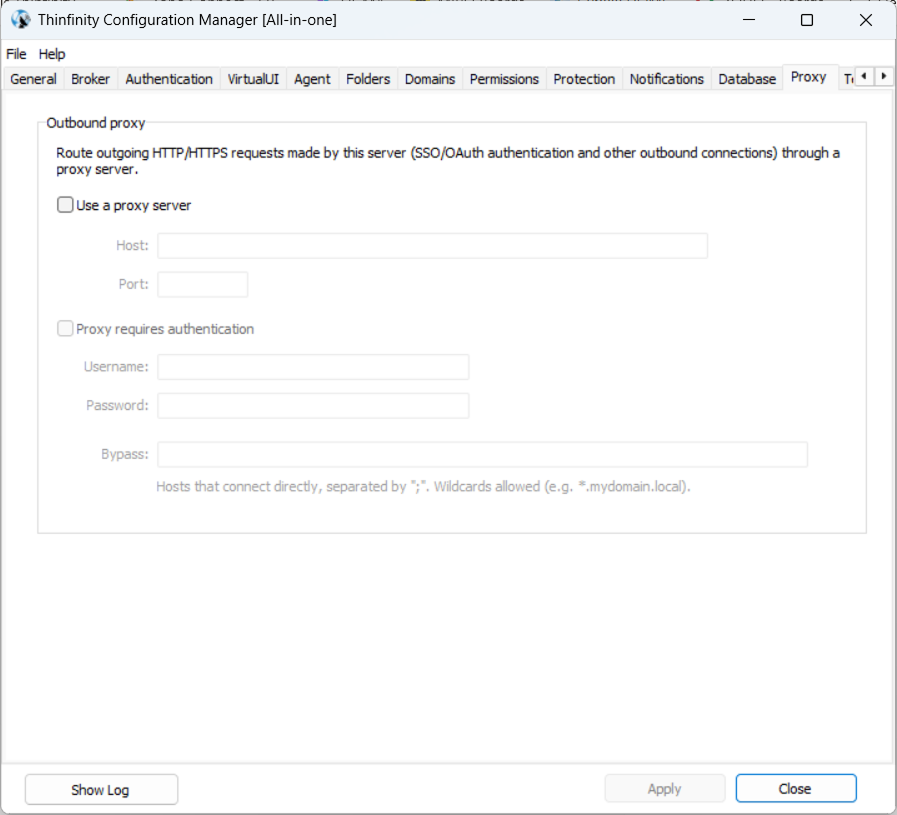
Outbound Proxy
The Outbound proxy section defines the proxy server this host uses when opening a connection to any external endpoint. By default, no proxy is configured and outbound requests are attempted directly.
| Field | Description |
|---|---|
| Use a proxy server | Enables outbound proxy routing. When on, Host and Port become editable. Disabled by default. |
| Host | The proxy server’s hostname or IP address. |
| Port | The TCP port the proxy accepts connections on. |
Proxy Authentication
If the corporate proxy requires client credentials, enable the authentication toggle and provide them.
| Field | Description |
|---|---|
| Proxy requires authentication | Enables client authentication against the proxy. When on, Username, Password, and Bypass become editable. Disabled by default. |
| Username | The account name the proxy accepts. |
| Password | The account password. |
| Bypass | List of hosts that connect directly, skipping the proxy. See Bypass list — syntax below. |
Authentication method. Credentials are sent to the proxy using HTTP Basic authentication. NTLM and Kerberos are not supported. If the corporate proxy accepts only NTLM or Kerberos, use an intermediary proxy that accepts Basic on this server’s behalf.
Bypass List — syntax
The Bypass field accepts one host pattern per entry, separated by ; or ,. Each pattern is matched against the target hostname of the outbound request (not the port, not the full URL).
Supported wildcards:
*— any run of characters, including dots. For example,*.mydomain.localmatchesfinance.mydomain.localand any deeper subdomain, but not the baremydomain.local(add a separate entry for that).?— exactly one character.[abc]— any single character in the set;[a-z]matches ranges;[!abc]matches any character not in the set.
IP subnets are not matched by CIDR notation. To bypass a network, use a mask like 10.* or 192.168.*.
Loopback is bypassed automatically for the literal hosts localhost, 127.0.0.1, ::1, and [::1]. Other loopback addresses (for example, 127.0.0.2) require an explicit entry.
Use the bypass list for hosts on the same network as the server — internal AD, on-premises license or update endpoints, peer brokers — where routing through the proxy would fail or add unnecessary latency.
TLS-inspecting proxies. If the corporate proxy inspects TLS by terminating and re-issuing it with a private certificate authority, install that CA into Windows’ Trusted Root Certificate Authorities on this server. Otherwise HTTPS requests through the proxy fail with certificate-validation errors.