
The Configuration Manager
The Configuration Manager is the centralized administrative interface used to manage the core infrastructure, security policies, feature access and other parameters for the entire deployment. It serves as the primary tool for administrators to configure several aspects of the current deployment.
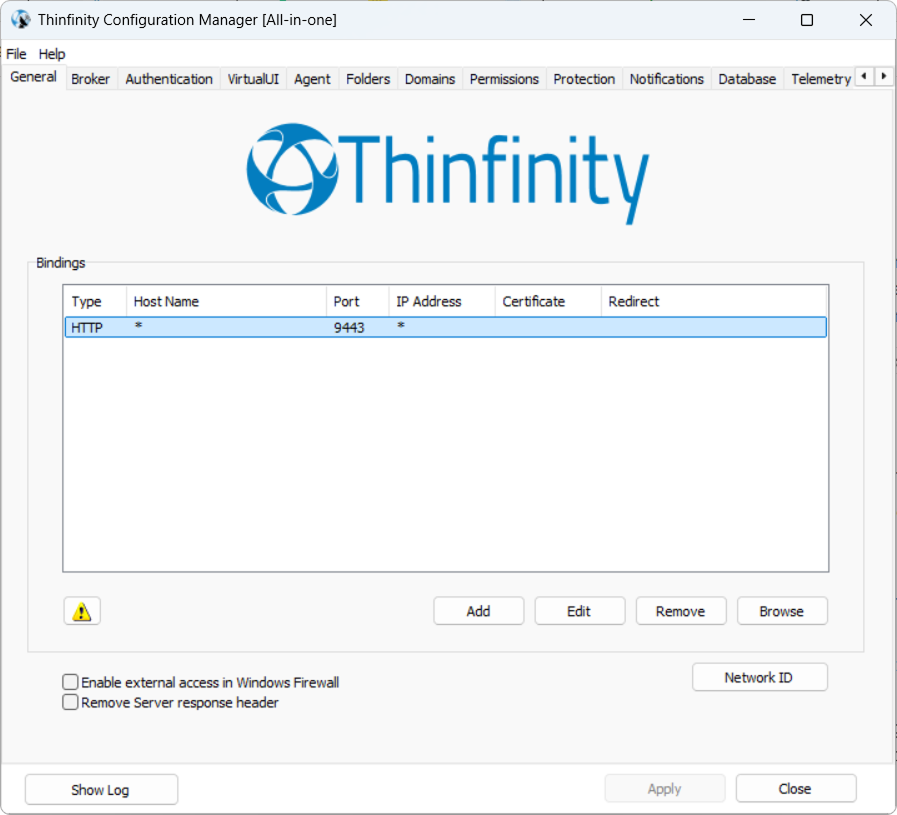
Core Functions of the Configuration Manager
The Configuration Manager governs several critical layers of the Workspace environment:
- Component Configuration: Allows selecting the component role (Gateway, Brokers, Agent and VirtualUI) and configuring the associated parameters.
- Identity & Authentication Management: Administrators use it to configure connections to external Identity Providers (IdPs) like Active Directory, OAuth 2.0, SAML, and RADIUS.
- Access Control & RBAC: It features a dedicated Permissions tab where admins map external users or groups to specific functional rights, ensuring authorization remains under local control even when using external credentials.
- Feature & Add-on access and Licensing: Within the Manager, admins can enable or disable high-level features for specific users, such as Analytics, Audit Logs, Cloud Manager, and Reporting Services as well as activate licenses for specific versions of the product.
Key Settings Managed in the Interface
| Category | Actions Performed in Configuration Manager |
|---|---|
| Permissions | Assigning rights for features such as File Transfer, Session Sharing, and Persistent Login. |
| Identity Mappings | Defining Regex rules to bridge external claims (like emails) to local Windows accounts. |
| Association Logic | Setting the “handshake” method (Inherited, Existing, or Dynamic Provisioning) for Windows sessions. |
| Security Layers | Implementing MFA/2FA requirements and IP Filtering for specific profiles. |
The Configuration Manager handles the “backend” logic and global rules, but for easier administration many of these settings — particularly those related to Access Profiles — can also be managed via the Settings section in Web Manager. See the next section for details.