
SAML Settings
To access SAML configuration settings: in the main Thinfinity® Workspace page, select the user profile to access the user menu and select Settings. Next, navigate to Configuration>Authentication>Authentication Methods, select Add and choose SAML.
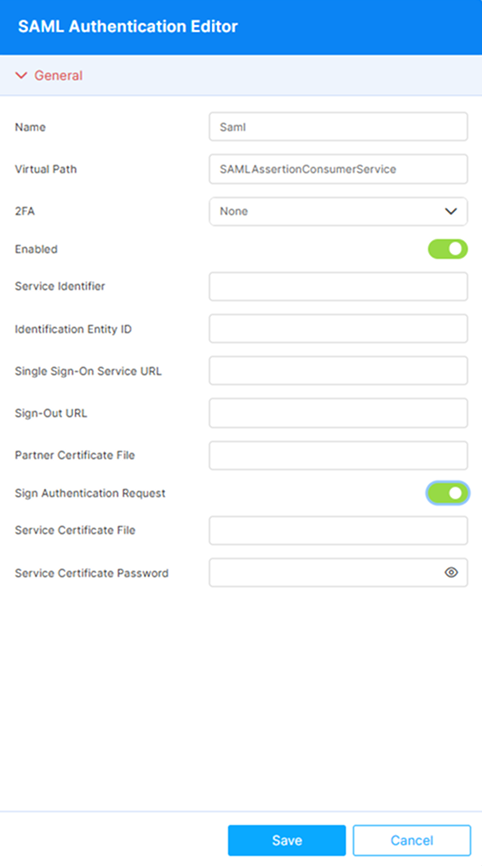
The following options are available for the SAML method:
| Option | Description |
|---|---|
| Name | Assigned automatically for identification within the system; cannot be edited. Default: Saml. |
| Virtual Path | Virtual Path to the authentication method service. Completed by default with the name of the selected method. Default: SAMLAssertionConsumerService. |
| 2FA | If Two-Factor Authentication methods have been enabled for this installation, this dropdown lists the enabled methods. For details, see Two-Factor Authentication. |
| Enabled | Selected by default when the authentication method is added. |
| Service Identifier | URI of the Thinfinity Workspace installation acting as the SAML Service Provider (SP). Used as the SP entity ID in the exchange with the IdP. |
| Identification Entity ID | The IdP-side entity ID (application ID) provided by the identity provider (e.g., Okta, Azure AD). Used to match assertions issued by the correct IdP. |
| Single Sign-On Service URL | URL of the IdP’s Single Sign-On endpoint where the user is redirected for authentication. |
| Sign-Out URL | Optional. URL invoked when the user signs out, so the IdP session is also terminated. |
| Partner Certificate File | Path to the X.509 certificate file provided by the identity provider (e.g., Okta). Used to validate SAML assertions signed by the IdP. |
| Sign Authentication Request | When enabled, Thinfinity Workspace signs the SAML authentication request sent to the IdP with the certificate defined in Service Certificate File and Service Certificate Password. Disabled by default. |
| Service Certificate File | Available when Sign Authentication Request is enabled. Path to the certificate file used to sign the SAML authentication request. Can be a self-signed certificate. |
| Service Certificate Password | Available when Sign Authentication Request is enabled. Password for the service certificate file. |
Reference
For step-by-step instructions on how to configure Single Sign On with different identity providers using SAML see the Single Sign-On section in our Knowledge Base.