
DUO Settings
To access DUO configuration settings: in the main Thinfinity® Workspace page, select the user profile to access the user menu and select Settings. Next, navigate to Configuration>Authentication>Two-Factor Authentication, then select Add and choose DUO.
The following configuration parameters are available for DUO.
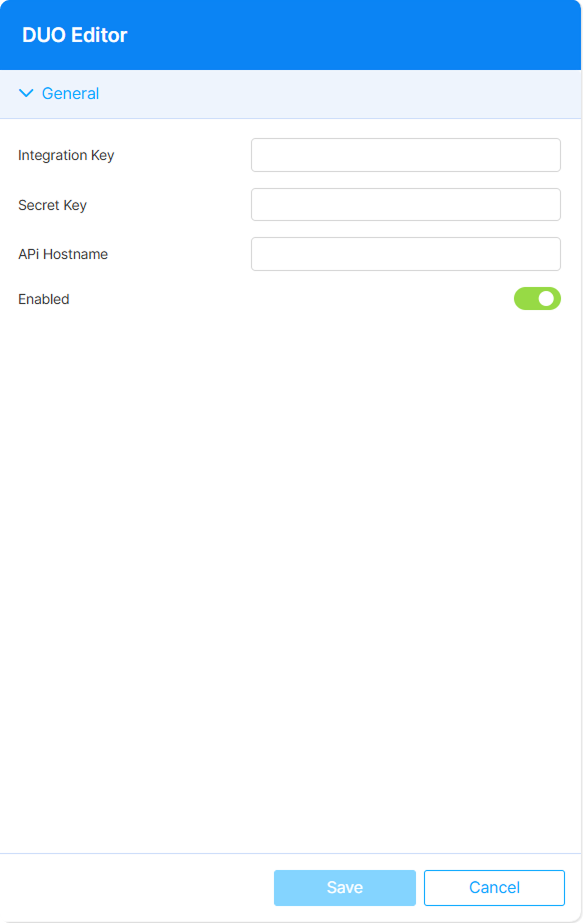
DUO generates the credential values below when you enroll your Thinfinity Workspace installation with it. Retrieve them from the DUO administration console; see DUO’s documentation for the enrollment procedure.
The following options are available:
| Option | Description |
|---|---|
| Integration Key | Identifier DUO assigns to the Thinfinity Workspace application. |
| Secret Key | Secret paired with the Integration Key. Treat it as a credential: do not share it or store it outside Thinfinity Workspace. |
| API Hostname | Host name of the DUO API endpoint for your DUO account. |
| Enabled | Enabled by default when the method is added. Disable to keep the method configured without applying it to any Authentication Method. |